
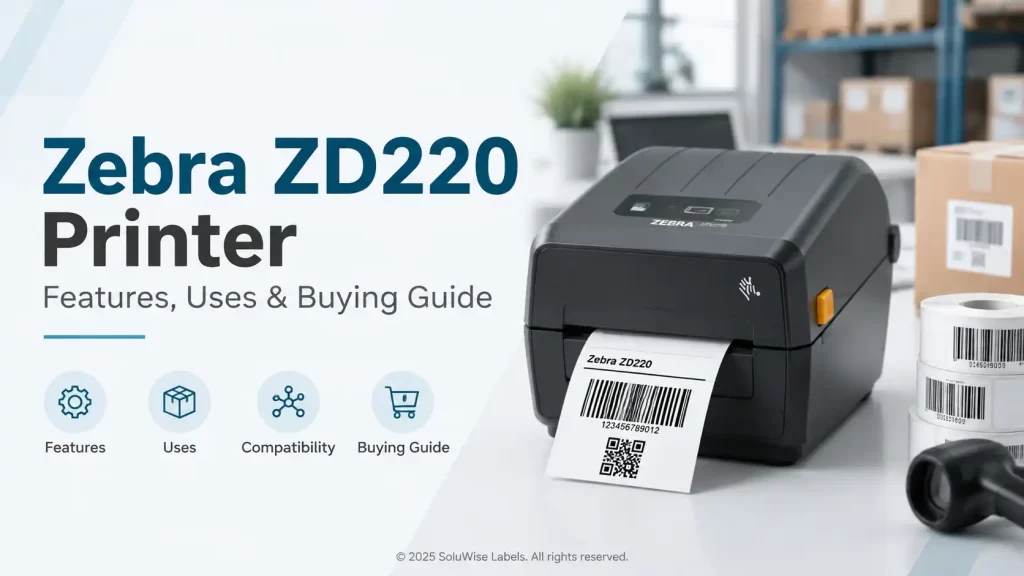
The Zebra ZD220 is a practical entry-level desktop label printer for businesses that need dependable barcode, shipping, shelf, carton or identification labels without paying for advanced networking, high-speed output or industrial-duty construction. It is most suitable for controlled, lower-volume applications where USB connection is acceptable.
For many UAE retailers, small warehouses, clinics, service counters and back-office teams, the ZD220 can be a sensible starting point. The right version depends mainly on label life: direct thermal suits short-life labels, while thermal transfer is the better choice for labels that must remain readable for longer or face handling, heat, moisture or abrasion.
Zebra ZD220 review: the short recommendation
The Zebra ZD220 is a good fit for businesses printing standard barcode labels at a desktop workstation. It offers Zebra print language support, 203 dpi print resolution and a maximum print width of approximately 104 mm, making it appropriate for many common label formats.
It is not designed as a high-volume warehouse printer or a networked printer for many users. Businesses needing Ethernet, Wi-Fi, Bluetooth, mobile access, faster output or long daily print runs should assess a higher-specification model before purchasing.
| Factor | What it means in practice |
|---|---|
| Print technology | Available in direct thermal and thermal transfer versions. |
| Resolution | 203 dpi, suitable for standard text, barcodes and most everyday label layouts. |
| Maximum print width | Approximately 104 mm, supporting many shipping, carton and product-label formats. |
| Connection | USB connectivity suits a printer connected to one nearby computer or workstation. |
| Best use | Lower-volume desktop barcode and identification label printing. |
| Main limitation | It lacks the connectivity and duty capability expected for shared, busy or industrial printing environments. |
Direct thermal versus thermal transfer ZD220 models
The most important buying decision is not the printer colour or its physical footprint. It is the print method. A direct thermal Zebra ZD220 prints by applying heat directly to heat-sensitive label stock. A thermal transfer model uses a ribbon to transfer ink onto the label material.
When a direct thermal Zebra ZD220 makes sense
Direct thermal printing is usually appropriate for labels with a short useful life. Typical examples include courier labels, dispatch labels, temporary warehouse location labels, visitor identification labels, order-picking labels and short-term retail markdown labels.
Because the label itself is heat-sensitive, direct thermal printing does not use a ribbon. This can simplify day-to-day operation and removes ribbon selection from the purchasing process. However, direct thermal print may fade or darken when exposed to heat, sunlight, friction or certain chemicals.
For a delivery counter or an indoor dispatch desk, that trade-off is often reasonable. For stock labels stored for many months in a hot warehouse, it may not be.
When thermal transfer is the better choice
A thermal transfer ZD220 is more suitable where printed information needs longer-lasting resistance. It can be used with compatible barcode labels and suitable thermal transfer ribbons, subject to the label material and ribbon combination selected.
This option is generally more appropriate for asset labels, product identification labels, inventory labels, carton labels that remain in storage, and labels exposed to routine handling. In UAE operations, a thermal transfer setup deserves consideration if labels may sit near loading bays, in warm storage areas or in environments where fading would create scanning problems.
Ribbons should only be purchased for the thermal transfer version. A direct thermal model does not use a ribbon, and fitting one is not part of its operating method.
Print quality, resolution and ZD220 label size
The Zebra ZD220 uses 203 dpi print resolution. For normal one-dimensional barcodes, QR codes, product names, batch references, dates and readable text, this is appropriate in many business applications. It is not intended for exceptionally small text, very dense graphics or miniature barcode symbols where a higher resolution printer may be required.
The maximum printable width is approximately 104 mm. This suits common desktop label jobs, including many 100 mm-wide shipping labels and a large number of smaller product, shelf and carton formats. The usable ZD220 label size still depends on the media width, label length, gap or black-mark sensing requirements, and the design created in the printing software.
Before ordering labels, purchasers should confirm four measurements:
- the label width and length required by the application;
- the roll’s outside diameter and core format suitable for the printer;
- whether the labels use gaps, black marks or continuous media;
- the direction in which the label artwork must print.
A label that fits physically can still cause setup issues if its sensor method or roll construction is unsuitable. It is preferable to confirm the label format before placing a larger media order.
Connectivity and software considerations
The standard ZD220 configuration is aimed at straightforward USB-connected desktop use. This is convenient where one computer creates labels for one packing station, reception desk or stockroom desk. It is less convenient where several users across a warehouse need access to the same printer.
IT teams should also check that their label software supports the printer language and that the workstation has the required USB access. Zebra printer languages are widely used in barcode environments, but compatibility should be checked at the software, driver and label-template level rather than assumed.
For businesses printing from an ERP, warehouse management system or point-of-sale workflow, a sample label test is useful. It can reveal barcode sizing problems, incorrect orientation, missing fonts or unwanted scaling before the printer is put into routine use.
Where the Zebra desktop printer works well
The ZD220 is at its best where labels are printed close to the activity they support. Its compact desktop format makes it practical for workplaces where an industrial printer would be unnecessarily large or costly.
Retail and stockroom labels
Retailers can use the printer for price labels, shelf-edge labels, stock identification and short-run promotional labels. Direct thermal labels may suit temporary price changes or short campaigns, while thermal transfer media is more suitable where labels remain on products or stock bins for extended periods.
Warehouse and dispatch operations
For low-to-moderate dispatch activity, the ZD220 barcode printer can print address, carton and picking labels from a fixed workstation. It is more appropriate for a single packing bench than for a busy multi-lane distribution operation producing labels throughout the day.
Healthcare, service and administration
Smaller organisations may use it for file labels, sample identification, visitor labels, equipment tags or internal tracking labels. The label material should match the environment: a temporary desk label has different needs from a label attached to equipment handled repeatedly.
Limitations to consider before buying
Every desktop printer has limits, and the ZD220 should be selected for its intended role rather than treated as a replacement for a warehouse or industrial model. Its entry-level positioning is a strength for simple jobs, but it also defines where it is less suitable.
- USB-only workflows: a fixed USB connection may not suit shared printing across multiple users or departments.
- Lower output expectations: high daily label volumes can justify a printer built for longer, more demanding production runs.
- Standard resolution: 203 dpi is effective for typical barcode layouts but may not suit extremely small labels or fine-detail printing.
- Desktop media capacity: frequent label changes may become inconvenient in a high-throughput environment.
- Application-dependent durability: direct thermal labels are not the right choice for every environment, particularly where prolonged heat or handling is expected.
A printer can produce a readable barcode but still be unsuitable for the job if the label material fades, lifts or becomes damaged. Barcode quality depends on the printer, label material, ribbon where applicable, artwork, print darkness and scanner settings.
Buying checklist for the Zebra ZD220 price in UAE
A search for Zebra ZD220 price UAE should not be treated as a price-only decision. The printer variant, label type, ribbon requirement and support needed for installation all affect the practical cost of ownership.
- Choose the print method first. Select direct thermal for short-life labels and thermal transfer where greater print durability is needed.
- Confirm the largest label width. Check that the required format fits within the printer’s approximately 104 mm maximum print width.
- Estimate realistic print volume. Consider labels per day, peak periods and the cost of staff time spent changing rolls.
- Check the workstation setup. Confirm that USB connectivity suits the intended computer and user workflow.
- Match the label material to the environment. Consider heat, humidity, friction, cleaning exposure and storage duration.
- Test a sample layout. Scan printed barcodes with the scanner used in daily operations before standardising the design.
The recommended products for this application are the Zebra ZD220 itself, compatible barcode labels and, for thermal transfer versions only, suitable ribbons. Compatible labels should be selected by size, adhesive, face material and expected label life rather than by dimensions alone.
Common setup mistakes
One common issue is loading a label roll without checking the media path and sensor position. If the printer does not detect the gap or mark correctly, labels may feed inconsistently or print in the wrong position. Running calibration after changing to a different label format can help prevent wasted media.
Another mistake is using direct thermal labels for long-term identification. The initial print may look clear, but later exposure to heat or sunlight can reduce readability. For durable tracking labels, a thermal transfer model with compatible labels and ribbon is generally the more appropriate route.
Barcode artwork also deserves attention. A barcode should have sufficient quiet space around it, adequate symbol size and suitable contrast.
Frequently asked questions
Is the Zebra ZD220 suitable for shipping labels?
Yes, it can suit shipping and dispatch labels where the label width fits the printer and the expected print volume is within a desktop workflow. Direct thermal labels are commonly used for short-life shipment labels.
Does the Zebra ZD220 use ribbons?
Only the thermal transfer version uses ribbons. The direct thermal version prints onto heat-sensitive labels and does not require a ribbon.
What label width can the ZD220 print?
The ZD220 has a maximum print width of approximately 104 mm. The final label choice should also account for the roll construction, sensing method and the application’s required label length.
Can the ZD220 print durable asset labels?
A thermal transfer ZD220 may be suitable for some asset-identification applications when paired with compatible label stock and ribbon. The required durability should be assessed against handling, surface type, cleaning methods and environmental exposure.
Is the ZD220 suitable for a busy warehouse?
It can work for a single lower-volume workstation, such as a small packing bench. A busy warehouse with multiple users, longer print runs or networked workflows may need a printer with higher capacity and broader connectivity.
A practical decision rule
Choose the Zebra ZD220 if the operation needs a compact USB desktop printer for standard-width labels, routine barcode printing and a controlled print volume. Choose the direct thermal version for short-life labels, and consider the thermal transfer version where label durability matters.
For help selecting compatible barcode labels, determining whether ribbons are needed, or checking a label size against the intended application, contact SoluWise with the label dimensions, expected print volume and working conditions. You can also check various other Zebra printer models to choose the best one for your requirements.
