
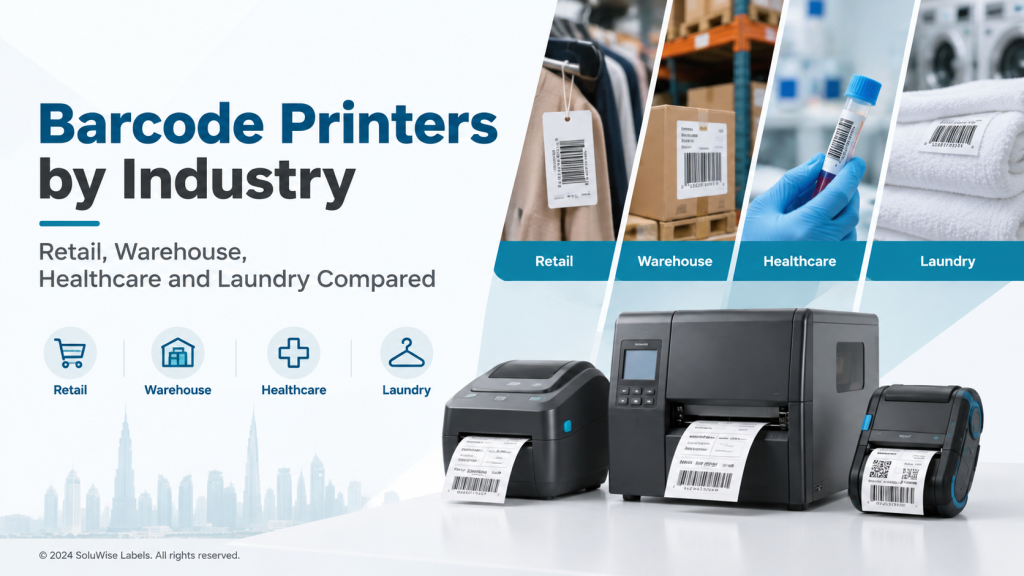
Choosing the right barcode printer is not just about price. The environment, label durability, print volume, and connectivity all shape which model will keep your operations running smoothly. For UAE businesses—from bustling Dubai retail outlets to regional warehouses and laundry facilities—the wrong printer can lead to misreads, label failures, and unnecessary downtime. This guide uses the topic Barcode Printers by Industry: Retail, Warehouse, Healthcare and Laundry Compared to help you align a printer class with your sector needs, while highlighting practical buying considerations and ready-to-use SoluWise recommendations.
Below you’ll find a concise overview, key decision factors, a practical industry mapping, and concrete recommendations using Zebra models that SoluWise commonly supports in the UAE. The aim is to help you select a printer that fits your label materials, printing volume and operational environment—without over-specifying features you won’t use.
Direct answer / overview
Across the industries in the topic, the following general guidance applies:
- Retail (small to medium stores, storefronts, price tags): A compact desktop printer offers low to mid printing volumes with simple setup. Recommended: Zebra ZD220.
- Warehousing and distribution: Higher durability and reliability for picking lists, shipping labels and pallet labels. Recommended: Zebra ZT230 for rugged environments and higher throughput.
- Healthcare labeling: Reliable label printing with clear readability and compatibility with patient and specimen labeling workflows. Recommended: Zebra ZD421 as a capable mid-range desktop option when paired with appropriate label materials.
- Laundry and textiles: Labels that endure washing, drying and humidity, with robust adhesive compatibility. Recommended: Zebra ZD421 or ZT230 depending on volume and facility footprint.
In short: for UAE operations with varying volumes and environments, these three Zebra models cover desktop need, mid-volume versatility and industrial durability, while SoluWise can tailor media and supplies to ensure labels hold up where they’re used.
Key factors to consider
Print volume and duty cycle
Assess how many labels you print per day and peak periods. A small shop or boutique store benefits from a desktop model, while a large warehouse or a busy hospital system needs an industrial or mid-range desktop with stronger media handling and faster throughput. The right choice reduces downtime and ensures label readability even during peak periods.
Durability of labels and environment
Consider where labels will be applied and how they’ll be exposed. Laundry and healthcare environments demand adhesives and heat resistance that survive washing or disinfecting cycles. Warehouse labels require robust materials that resist abrasion and moisture. The printer should be compatible with a suitable label stock and ribbon (where applicable) to maintain readability over the label’s life.
Print quality and resolution
Resolution matters when barcodes must be scanned quickly and reliably. Higher resolution labels are easier to read on small or damaged barcodes. The right printer supports your label size and print density without sacrificing speed or readability.
Connectivity and integration
Look for USB and network connectivity (Ethernet or Wi‑Fi) to fit your IT environment. Integration with existing warehouse management or point-of-sale systems reduces setup time and improves print accuracy. Consider future-proofing with a printer that supports driver updates and compatibility with your label design software.
Environment and maintenance
Industrial environments require robust printers with protective enclosures or cases, while light-duty retail setups benefit from compact, easy-to-service devices. Regular maintenance—printhead care, rubbers, and cleaning routines—extends life and maintains print quality.
Detailed comparison / explanation
To help visualise how the models align with industry needs, the table below summarises the typical fit for each sector. Note that exact specifications vary by model revision; always verify current capabilities with SoluWise before purchase.
| Industry | Best-fit printer (from the three) | Why it fits | Typical use case |
|---|---|---|---|
| Retail | ZD220 | Compact, cost-effective desktop option suitable for price tags and shelf labels with modest daily volumes. | Front-counter labels, small shop floor labeling, occasional promotions. |
| Warehouse | ZT231 | Industrial design with robust media handling for shipping, pallet and product-labeling in a busy environment. | Pallet labels, bin labels, dedicated shipping labels. |
| Healthcare | ZD421 | Mid-range desktop option with dependable performance and good label quality when paired with appropriate stock. | Patient identifiers, specimen labels, asset tracking in clinics or hospitals. |
| Laundry / textiles | ZD421 or ZT231 | Depends on volume and facility footprint; ZD421 for mid-volume laundry labeling, ZT231 for higher-volume rugged environments. | Clothing tags, laundry batch labeling, facility-wide asset labels. |
These recommendations are a starting point. Your exact choice should consider the label material, adhesive compatibility with fabrics or surfaces, and the expected lifecycle of each label in its environment. SoluWise can help map your label size, print volume and operating environment to the most appropriate printer and supplies.
Which option is right for you?
Think about your operation size and the environment. The following scenarios are common among UAE businesses:
- Small business or boutique retail: A compact desktop printer like ZD220 offers straightforward setup, good print quality for price tags and shelf labels, and a lower total cost of ownership for modest daily volumes.
- Mid-sized retail or small warehouse: A capable desktop option such as ZD421 provides better label handling, more features, and room to grow without moving to a full industrial unit.
- Large warehouse or distribution center: An industrial-grade solution like ZT231 delivers durability and higher throughput to keep pace with heavy shipping and receiving workloads.
- Healthcare facilities: Choose a reliable desktop like ZD421 with careful material selection for patient or specimen labeling. Ensure labels resist disinfectants and comply with local privacy and handling practices.
- Laundry facilities: For high-volume labeling in humid or wash-dominated environments, pair the printer with purpose-built label stock and adhesives; consider ZT231 when volumes justify industrial robustness.
If you’re unsure which printer, media or workflow fits your UAE operation, SoluWise can help you select the right combination based on your label size, printing volume and operating environment.
Recommended SoluWise products
The following Zebra models are recommended as practical options within the scope of this article. Each model is suited to particular use cases; the goal is to match the product to your industry needs rather than promote a single best choice.
- Zebra ZD220 — Desktop printer ideal for small retail or boutique labeling. Suitable for low-to-mid volumes, with simple deployment and a compact footprint. Best for counters or back-office labeling where space is at a premium. Limitations include lower throughput for very high-volume environments.
- Zebra ZD421 — Mid-range desktop printer that supports more complex labeling tasks and higher reliability. A good fit for medium-volume retail, healthcare labeling or light industrial labeling when paired with appropriate media. Suitable for facilities that want a balance of performance and footprint.
- Zebra ZT231 — Industrial printer designed for higher-volume, more rugged environments such as busy warehouses and distribution hubs. Best when you require durability, longer runs and resilience in less-controlled spaces. Consider footprint and power needs for larger sites.
When choosing among these, consider your label stock choices, the printing workload, and how the printer will integrate with your existing systems. SoluWise can help you align media choices (labels and ribbons), printer settings and driver configurations for UAE-based operations.
Common mistakes to avoid
- Underestimating daily printing volume and choosing a printer with insufficient throughput.
- Forgetting to pair the printer with the correct label stock and adhesive for the intended environment (e.g., laundry, hospital, or warehouse).
- Ignoring connectivity needs or assuming one interface fits all systems.
- Neglecting printhead maintenance and regular cleaning, which can degrade readability and increase misreads.
- Assuming all label formats are universally compatible; confirm label size, layout and GS1 readability requirements as applicable to your workflow.
Frequently Asked Questions
Q1: What is the difference between direct thermal and thermal transfer printing?
A: Direct thermal printing uses heat-sensitive label stock that darkens when heated, with no ribbon. It’s best for short-term labeling and environments where labels won’t be exposed to harsh conditions. Thermal transfer printing uses a ribbon to transfer ink to the label, producing more durable labels that withstand washing, abrasion and sunlight. Choose based on the label’s expected lifespan and exposure.
Q2: Which printer is better for high-volume operations?
A: For higher volumes and rugged environments, an industrial option like the ZT230 is typically more suitable due to its durability and throughput. For mid-volume needs, the ZD421 can offer a good balance between performance and footprint.
Q3: Do I need special label stock for laundry or healthcare labeling?
A: Yes. Laundry labels require materials designed to endure washing and drying cycles, while healthcare labels often require legible printing and durable adhesion suitable for clinical environments. Work with SoluWise to select materials that meet your exposure and regulatory needs.
Q4: Can I print multiple label sizes on the same printer?
A: Most printers in this class support changing media sizes, within the printer’s supported width ranges. You’ll want to configure the label driver and media settings for each label size you use.
Q5: What connectivity options should I look for?
A: Typical options include USB and network interfaces (Ethernet). Some models may offer additional interfaces. Ensure the printer’s connectivity aligns with your POS, WMS or ERP system and that you have a straightforward driver setup.
Q6: How do I estimate total cost of ownership?
A: Consider the printer purchase cost, ongoing media and ribbon (if applicable), replacement printheads, maintenance, energy use, and support costs. A slightly higher upfront investment in a model with better durability and support can reduce long-term costs in busy UAE operations.
Final recommendation
For UAE retailers, warehouses, healthcare facilities and laundries, the recommended approach is to map your label needs to the printer class that matches your daily volume, environmental exposure and integration requirements. The Zebra ZD220 offers a practical entry path for small-scale retail labeling. If you anticipate growing volumes or require more robust features, the Zebra ZD421 provides a versatile mid-range option. For high-volume or harsh environments, the Zebra ZT230 delivers industrial-grade reliability. Whichever model you choose, pairing with suitable SoluWise label media and print ribbons (where required) will help you maintain readability and durability across operational contexts in the UAE.
If you’re unsure which label material, printer or solution is right for your UAE operation, SoluWise can help tailor a solution based on your label size, printing volume and operating environment. Contact us to discuss your specific use case and we’ll propose a practical configuration.


