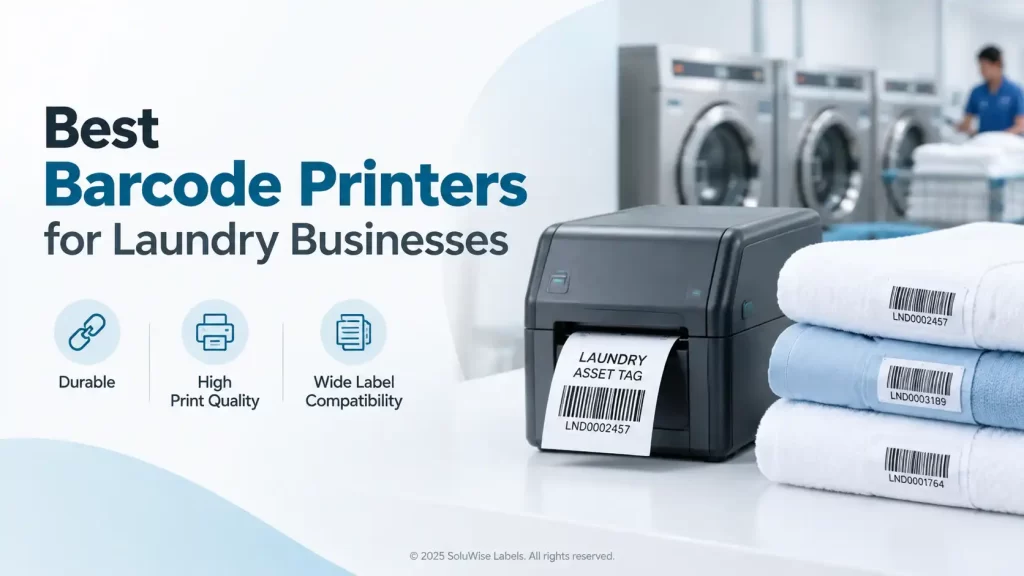
A barcode that scans perfectly at dispatch can become useless after repeated washing, drying, pressing and chemical exposure. That is why choosing a laundry barcode printer UAE businesses can depend on starts with the label and ribbon, not only the printer.
For modest label volumes and standard textile identification work, the Zebra ZD421 is usually the sensible starting point. For busy commercial laundries, central processing sites or operations printing larger batches of labels, the Zebra ZT231 is the stronger fit. Both can be part of a workable textile tracking setup, but they suit different workloads and working habits.
The main rule is simple: select the printer around the label material, finished label width and expected daily volume. A printer cannot make an unsuitable fabric label survive a hot wash cycle, and an oversized industrial unit is rarely a good purchase for a site printing only occasional replacement labels.
What a laundry barcode printer needs to handle
Laundry operations are tougher on labels than most warehouse applications. A garment identifier may be exposed to detergent, water, heat, tumbling, ironing and repeated handling. In hotels, hospitals, uniform services and industrial laundries, a missed scan can also create extra work when staff need to identify an item manually.
A textile label printer should therefore be assessed as part of a complete printing system: printer, ribbon, label material, barcode layout and scanner. The printer matters, but it is only one part of barcode readability over the life of the textile item.
- Print method: Thermal transfer is generally the preferred method for washable textile labels because it uses a ribbon to transfer the image. Direct thermal printing is useful for short-life paper labels, but it is usually not the right choice for labels expected to survive laundering.
- Label compatibility: Check that the printer can accept the chosen fabric or care-label material and the required roll format. The label width is only one part of this decision; thickness, liner, adhesive where applicable, and the way labels feed also matter.
- Print quality: Small garment labels often need compact text, a readable barcode and sometimes a logo or care information. A crowded barcode with poor contrast is difficult to scan, even if it looks acceptable to the eye.
- Daily volume: A printer that is comfortable with a few hundred labels a day may not be the right fit for long production runs across multiple shifts.
- Connectivity: Consider where print jobs originate. A standalone laundry counter, an office PC, a production workstation and a networked laundry management system may have different connection needs.
- Maintenance access: Textile materials and ribbons can leave residue over time. Teams should be able to load media, clean the printhead and replace ribbons without turning a simple print job into an IT issue.
Laundry barcode printer UAE selection by print volume
Most buying mistakes happen because a business estimates its normal print run but ignores peak periods. A hotel may print a manageable number of labels most days, then need to process a large batch when new linen arrives. A uniform supplier may print steadily all week. These are different workloads.
Lower to moderate label volumes
A desktop printer is often enough for a smaller laundry, a hotel housekeeping department, a uniform room or a business replacing lost and damaged identifiers as needed. The Zebra ZD421 is a compact desktop printer suited to this type of work, particularly where staff need a printer close to the point of administration or garment intake.
The ZD421 makes sense when label batches are manageable, bench space is limited and operators need a straightforward day-to-day device. It can be a practical choice for printing textile tracking labels, subject to selecting a thermal transfer configuration and compatible ribbon and media.
Its limit is workload. If one desktop machine is expected to feed several departments continuously or produce long batches every day, staff can spend too much time changing media and waiting for jobs. In that case, moving to an industrial printer is usually the more sensible decision.
Higher volumes and central laundry operations
The Zebra ZT231 is an industrial barcode printer aimed at more demanding label production. It is the better match for a commercial laundry, a central linen facility, a large uniform operation or a production area where labels are printed in substantial batches.
Its advantage is not that every business needs an industrial printer. Its advantage is that a higher-workload operation benefits from a machine intended for regular production use, larger media handling and a more production-oriented setup. Where multiple users need labels during the day, that distinction matters.
The ZT231 may be excessive for a small site producing occasional garment labels. It takes more space than a desktop unit and is harder to justify if print demand is light. Buying for future growth is reasonable, but buying far beyond the actual workload can add cost and complexity without improving label survival.
Zebra ZD421 and ZT231 for laundry labels
The right choice is less about a model name and more about the work in front of it. The comparison below reflects how these printers typically fit a laundry application.
| Consideration | Zebra ZD421 | Zebra ZT231 |
|---|---|---|
| Printer type | Desktop barcode printer | Industrial barcode printer |
| Best suited to | Smaller laundry departments, hotel linen rooms, uniform issue points and moderate print batches | Commercial laundries, central linen facilities and regular higher-volume printing |
| Space requirement | Useful where counter or office space is limited | Better suited to a dedicated production or print area |
| Operational fit | Day-to-day printing close to the user | Batch production and heavier ongoing use |
| Watch for | May be inefficient if demand grows into long, frequent print runs | May be more capacity than a low-volume operation needs |
Before ordering either model, SoluWise should confirm the label width, label construction, ribbon type, barcode dimensions, print volume and connection method. That is particularly useful if the printer will work with existing laundry software or a garment tracking system.
Businesses comparing options can also review the Zebra ZD421, Zebra ZT231 and laundry labels available from SoluWise. The printer and consumables should be chosen together, not as separate purchases made weeks apart.
Thermal transfer, ribbons and washable labels
For laundry identification, thermal transfer printing is usually the practical route. The ribbon transfers the image onto the label surface, and the ribbon type must suit the label material and exposure the label will face. A ribbon that works well on a carton label may not be suitable for a textile label that will be washed repeatedly.
Fabric barcode printer setups often use textile or specialist laundry labels rather than ordinary paper stock. Depending on the application, the label may be sewn into a garment, attached to linen or used as a durable tag. The method of attachment matters because a perfectly printed label is of little use if it detaches during use.
Ask for a sample run before committing to a large consumables order. Test the printed barcode after the relevant wash, dry and handling process. Scan it with the equipment used on site, not just with a phone camera or a convenient office scanner. This is the quickest way to identify a mismatch between label material, ribbon and print settings.
Label width and barcode layout
Small labels create a common problem: teams try to fit an item code, customer name, department, logo, care data and multiple barcodes into a very limited area. The result can be a barcode that is physically too small, too dense or too close to the edge of the label.
Start with the information staff actually need at the scan point. In many laundry workflows, one clearly printed barcode and a short human-readable identifier are more useful than a crowded label. If the system needs additional information, it may be better stored in the software record than printed repeatedly on every garment label.
- Leave enough clear space around the barcode for dependable scanning.
- Use a barcode size that suits the scanner and normal scanning distance.
- Keep important content away from fold lines, sewn edges and areas likely to curl.
- Print a sample at the final label size before approving the artwork.
- Check scan results after washing, not only immediately after printing.
Connectivity and daily operation
Connectivity is often treated as a technical detail until a printer is placed in a laundry room with no convenient workstation or network point. Decide early whether users will print from one local computer, a networked system or a dedicated application. The chosen configuration needs to match that process.
It is also useful to decide who owns the routine tasks. In a smaller operation, the person printing labels may also load ribbon and clean the printer. In a central laundry, maintenance may sit with an IT or engineering team. Either arrangement can work, provided someone knows the media type, ribbon orientation and basic cleaning routine.
Printhead care deserves attention. Dust, adhesive residue and buildup from media can affect print quality. Faint bars, broken lines and inconsistent darkness should be investigated early, because a barcode can fail before the text becomes obviously unreadable.
Common buying mistakes in textile label printing
- Choosing direct thermal printing for labels intended to survive repeated washing and handling.
- Buying a printer before confirming the fabric label and ribbon combination.
- Selecting a narrow label that leaves too little room for a usable barcode.
- Assuming the printer will connect to existing software without checking the workflow and connection requirements.
- Judging durability from a fresh print rather than after real wash and drying cycles.
- Using a desktop printer for sustained production volumes simply because it has a lower initial cost.
Frequently asked questions
Which printer is suitable for washable laundry barcode labels?
A thermal transfer printer paired with compatible textile labels and ribbon is generally the suitable starting point. The final choice depends on the label material, wash process, barcode size and print volume.
Is the Zebra ZD421 suitable for a hotel laundry?
It can suit a hotel laundry or linen room with moderate printing requirements and limited space. If the operation prints large batches continuously, the Zebra ZT231 is likely to be the more appropriate option.
Why do laundry barcodes stop scanning after washing?
The usual causes are unsuitable label material, an incompatible ribbon, insufficient print darkness, abrasion, poor label attachment or a barcode that was too small from the start. Testing a sample through the actual wash process helps isolate the cause.
Can a textile label printer print ordinary barcode labels too?
In many cases, a thermal transfer printer can print different compatible label materials. The practical question is whether the printer configuration, ribbon and media handling suit both the textile application and the other label formats required.
How often should a laundry label printer be cleaned?
The right interval depends on the media used and how often the printer runs. Clean it according to the manufacturer guidance and investigate promptly if print becomes faint, patchy or inconsistent.
For low to moderate volumes, a Zebra ZD421 with the correct thermal transfer materials is often the sensible laundry printing setup. For regular high-volume production, the Zebra ZT231 is the stronger choice. If the label size, wash process or software connection is uncertain, send SoluWise the details of the application and a sample requirement. The team can help match the printer, ribbon and laundry labels before a larger purchase is made.