
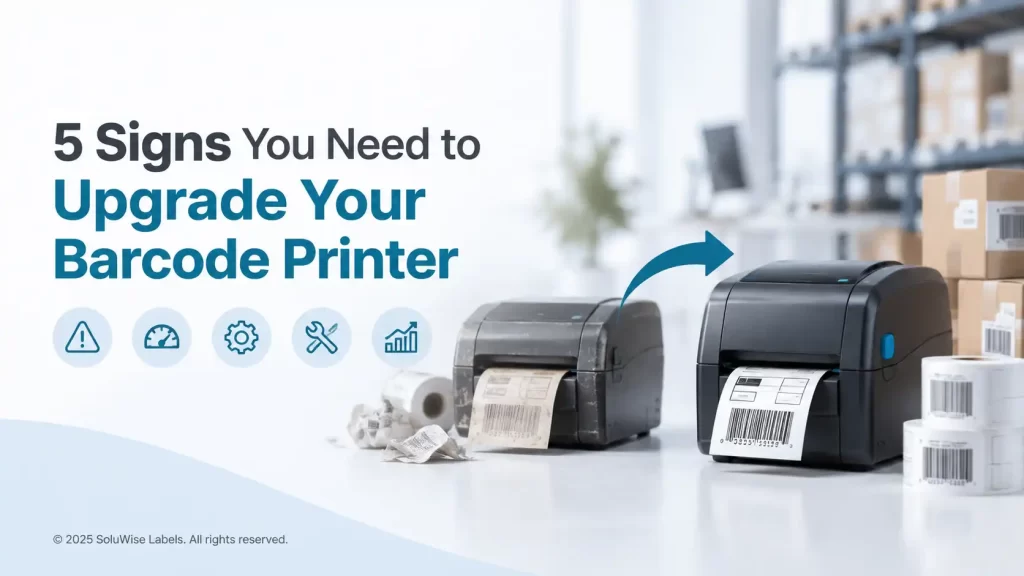
A barcode printer rarely fails at a convenient time. It usually starts with a few missed labels during a dispatch run, a printhead that needs constant cleaning, or a queue building up at a retail counter. If these issues are becoming normal, it may be time to replace your barcode printer rather than keep paying for short-term fixes.
The practical rule is simple: upgrade when the printer is causing delays, unreliable barcode scans or repeated maintenance that disrupts the work around it. A working old barcode printer is not necessarily an economical one, particularly if print volume has grown since it was first installed.
For many UAE businesses, the right replacement is not automatically the biggest printer available. A desktop model can still be the sensible choice for modest daily label volumes, while a busy warehouse, production line or free-zone dispatch operation may need an industrial unit built for sustained work.
When to replace your barcode printer
One isolated issue does not always justify a replacement. A worn ribbon, incorrect label settings or an unsuitable label material can all cause trouble. The concern is a pattern: the same faults returning, staff finding workarounds, and labels becoming a bottleneck.
These are the five signs SoluWise commonly sees when businesses have reached the point where an upgrade makes more sense than another repair.
1. Breakdowns are becoming routine
A printer that needs regular attention is expensive even if each repair looks affordable on its own. Staff time is lost while someone clears jams, recalibrates media, reinstalls a driver or waits for replacement parts. In a warehouse, this can hold up picking and dispatch. In retail or hospitality, it can interrupt price marking, receiving or asset identification.
Start by checking the simple causes first. Inspect the printhead for residue, confirm that labels and ribbons are loaded correctly, and make sure the media sensor is set for the label stock being used. If a qualified technician has already addressed recurring faults and the printer still struggles, replacement is usually the more predictable route.
Repeated breakdowns can also indicate that the printer is being asked to do a job beyond its original duty level. A compact desktop printer used continuously on a busy packing bench will wear differently from one used occasionally for shelf labels.
2. Label printing is slowing down the operation
Slow printing is easy to accept because it happens a few seconds at a time. Over a full shift, it becomes visible in queues of cartons waiting for shipping labels or employees standing by the printer instead of processing orders.
Some slowdown comes from settings. Printing at an unnecessarily high resolution, sending oversized graphics, or using the wrong label format can add avoidable delay. Network issues can also make a printer appear slow when the real problem is the connection between the computer, warehouse system and printer.
If the settings are correct and the printer simply cannot keep up with the current workload, an upgrade is justified. Increased order volume is one of the clearest reasons to move from a basic desktop unit to a more capable desktop printer or an industrial model.
3. Print quality is affecting barcode scans
Faded bars, broken lines, smudging and inconsistent darkness are more than cosmetic barcode printer problems. A barcode that looks almost acceptable may still fail at the scanner, forcing staff to key in numbers manually. That creates delays and raises the chance of a picking or inventory error.
Check the consumables before blaming the printer. The label material should suit the application, and a thermal transfer ribbon should be compatible with both the label face stock and the working environment. A carton label that rubs against pallet wrap or a stock label exposed to heat in a Dubai loading area may need a different material choice from a short-life indoor shelf label.
A clean printhead and properly adjusted print darkness can improve output. But if lines are missing repeatedly, print quality varies across the label, or the printer can no longer produce readable labels consistently, it is time to consider replacement. SoluWise can also help match the printer with suitable barcode labels and ribbons, because changing the printer alone does not fix an unsuitable consumable.
4. Your old barcode printer no longer connects properly
Older equipment often becomes difficult to support long before it stops printing altogether. The printer may not work reliably with newer computers, updated operating systems, current warehouse software or the connectivity methods now used on site. Staff may rely on one old PC because it is the only machine that still communicates with the printer.
That is a fragile setup. If the computer fails, an otherwise usable printer can become a major operational problem. It also makes it harder to move the printer to a different workstation, add it to a networked environment or integrate it with a new process.
Before replacing the barcode printer, identify exactly how it needs to connect. Consider the software in use, the devices sending print jobs, the location of the printer, and whether a wired or wireless connection is appropriate for the site. A printer chosen for the connection requirements of today is less likely to create another workaround a year from now.
5. Your label volume has outgrown the printer
Growth is good, but it often exposes a printer that was selected for a smaller operation. A retailer adding more branches, a manufacturer producing more batches, or a warehouse handling higher dispatch volumes may find that one desktop printer is no longer enough.
Warning signs include long print queues, frequent pauses for media changes, operators running the printer for most of the day, and labels being printed far in advance just to avoid delays later. Pre-printing can create its own issues if product details, prices, locations or shipment data change.
At this stage, think about both the printer class and the workflow. A faster or more durable printer may be appropriate, but a second printer near the point of use can sometimes make more sense. The right answer depends on label size, daily volume, the number of users and how critical the labels are to dispatch, receiving or traceability.
Choosing an upgrade path
Do not select a replacement solely by the model of the existing printer. Start with the labels and the actual working conditions. A printer for temporary courier labels has different needs from one printing product labels, asset labels or durable carton identification.
- Label size and format: Measure the widest label you need to print, including any liner or gap requirements. Check whether labels are continuous, die-cut, tag stock or another format.
- Print volume: Estimate normal daily demand and busy-period demand. A printer that copes only on quiet days is likely to become a problem again.
- Label life: Direct thermal printing may suit short-life labels, while thermal transfer printing is often preferred where labels need greater resistance to handling, abrasion or storage conditions.
- Working environment: Consider dust, heat, humidity, cold-room use and the risk of labels being scuffed during handling. UAE warehouse conditions can vary greatly between an air-conditioned stock room and a busy loading area.
- System connection: Confirm what needs to send the print job and where the printer will sit. This avoids discovering compatibility limitations after installation.
- Consumable availability: Plan for the correct label sizes and ribbons from the start. The printer, media and settings need to work together.
How Zebra printer options fit different operations
Zebra is a familiar choice for barcode printing because its range covers entry-level desktop use through to more demanding industrial applications. The model should match the workload, rather than being chosen simply because it is newer than the unit it replaces.
Zebra ZD220 for straightforward desktop printing
The Zebra ZD220 is a compact desktop barcode printer suited to businesses with modest, routine label requirements. It can be a sensible option for basic product labels, shelf labels, receiving labels or administrative identification where the printer is not expected to run continuously through a heavy shift.
It is not the natural choice for a high-volume warehouse line or a site where downtime has a serious dispatch impact. If the current printer is failing because volume has increased sharply, moving only to another entry-level desktop printer may postpone rather than solve the problem.
Zebra ZD421 for growing desktop requirements
The Zebra ZD421 suits organisations that need a more capable desktop platform for regular label production. It is worth considering where a basic printer has become limiting but the operation does not yet require an industrial printer.
This can fit retail back offices, healthcare administration, stockrooms, light manufacturing and smaller warehouse stations, depending on the label workload and connectivity needs. The final choice should be based on the specific configuration required, not just the model name.
Zebra ZD621 for demanding desktop applications
The Zebra ZD621 is positioned for more demanding desktop label printing where performance, operational features and support for a busier workflow matter. It may suit businesses that need a desktop footprint but have outgrown a simpler unit.
It is still a desktop printer, so operations with continuous high-volume output, large-format requirements or tougher industrial conditions should assess whether an industrial model is the more appropriate long-term investment.
Zebra ZT231 for warehouse and industrial workloads
The Zebra ZT231 is an industrial barcode printer intended for more sustained operational use. It is a stronger fit for warehouse dispatch areas, production environments and other sites where labels are printed regularly throughout the day and the printer needs to handle a more demanding role.
For a small office printing a limited number of labels each week, it may be more printer than necessary. The value of an industrial model comes when the workload, environment and cost of downtime justify it.
Common replacement mistakes
- Replacing the printer but keeping the wrong labels: Poorly matched labels or ribbons can still produce weak prints, adhesion issues or premature fading.
- Buying for average volume only: Peak periods matter. Consider month-end dispatches, promotions, stock counts and seasonal demand.
- Ignoring the application software: Confirm how labels are designed and sent to the printer before committing to a replacement.
- Assuming all barcodes are the same: A barcode must be printed clearly enough for the scanner and the intended label size. Printing a barcode does not by itself create a barcode number or register a product.
- Choosing a desktop printer for an industrial duty cycle: A lower initial cost can be outweighed by interruptions and earlier replacement if the unit is used beyond its intended role.
Reviewing the SoluWise barcode printer category alongside the relevant Zebra model pages can help narrow the choice. It is also useful to keep a sample of the current label, ribbon and printout available when discussing an upgrade, as these details reveal a great deal about the application.
Frequently asked questions
How do I know if I should repair or replace a barcode printer?
Repair may be reasonable for an isolated, identifiable problem. Replacement is usually the better decision when faults recur, parts are difficult to support, print quality remains inconsistent or the printer no longer meets the required volume and connectivity needs.
Can a slow barcode printer be fixed with settings?
Sometimes. Check print resolution, label design, driver settings, network performance and the condition of the printhead first. If these are correct and output still cannot keep pace with demand, a higher-capacity printer is likely needed.
What causes poor barcode print quality?
Common causes include a dirty or worn printhead, incorrect darkness settings, unsuitable labels or ribbons, poor loading, and a printer that is no longer operating consistently. Test the consumables and settings before replacing the unit.
Is a desktop barcode printer enough for a warehouse?
It can be, if label demand is modest and intermittent. For frequent dispatch, receiving or production labels across a full shift, an industrial printer such as the Zebra ZT231 may be a more suitable fit.
Should I choose direct thermal or thermal transfer printing?
It depends on how long the label must remain readable and what it will face in use. Direct thermal is often used for shorter-life labels, while thermal transfer is commonly selected where more durable printed output is needed. The label material matters as much as the printing method.
What information should I provide before buying a replacement printer?
Provide the label size, expected daily and peak volume, current label and ribbon details, print application, connection method, and where the printer will be used. A photo or sample of the existing label is often helpful.
Make the replacement solve the real problem
The best time to replace a barcode printer is before recurring faults become a dispatch delay or a scanning problem becomes routine. Match the new printer to the real print volume, label material, environment and software connection. A ZD220 may be enough for simple desktop work, while a ZD421 or ZD621 can suit busier desktop applications, and a ZT231 is worth assessing for sustained warehouse or industrial use.
If the right printer class is unclear, SoluWise can review the label sample, application and expected workload, then suggest practical options rather than pushing an oversized machine.


