
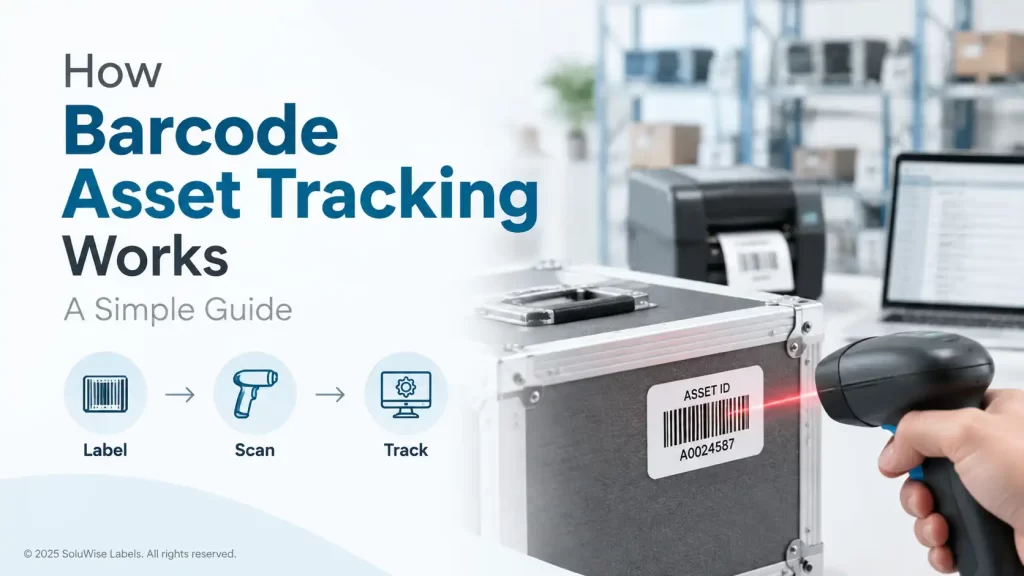
A missing laptop, a toolbox that never returns to the workshop, or hotel equipment that moves between stores can create far more disruption than its value suggests. Barcode asset tracking gives each physical item a unique ID, then records its movements through a scanner and database.
The basic idea is simple: apply an asset label, scan it when it is issued, moved, inspected, or returned, and use the resulting records to answer practical questions. Where is the item? Who has it? Is it due for an audit? For many UAE businesses, this is a more realistic starting point than relying on spreadsheets, handwritten registers or staff memory.
A barcode system does not physically locate an asset by itself. It creates a reliable record whenever somebody scans the label. That distinction matters when selecting an asset tracking system UAE businesses can actually use day to day.
How barcode asset tracking works
Every tracked item receives a unique asset ID. That ID is encoded into a barcode or QR code and printed on an asset label or asset tag. The number may also be printed in readable text, which is useful if a label is damaged or a scanner is not nearby.
When staff scan the barcode, the scanner passes the asset ID to the tracking database or software. The system then displays or records the information connected to that ID, such as the item description, department, assigned employee, location, purchase details, service history or audit status.
A straightforward example is an IT department issuing a laptop. The laptop has an asset label carrying a unique barcode. At handover, the team scans the asset barcode and records the employee or department receiving it. When the laptop comes back for repair, reassignment or offboarding, it is scanned again and the record changes.
- Create a unique ID for each asset.
- Print and apply a barcode asset label.
- Store the ID and asset details in a database or tracking platform.
- Scan the label whenever the asset changes status, location or custodian.
- Review records during audits, maintenance checks and replacement planning.
The barcode itself is only the identifier. The database is where the useful information lives. A clean label and a good scanner matter, but they cannot correct incomplete asset records or a process that staff do not follow.
The six parts of a workable system
1. A unique asset ID
Each item needs its own ID. Avoid using a generic model number, serial number alone, or a department name as the main tracking code. A unique asset ID allows two identical chairs, tablets or tools to be tracked separately.
Many businesses use a simple numbering structure that reflects their internal process. The format matters less than consistency. Once labels are in use, changing the numbering logic can create unnecessary confusion.
2. Barcode asset labels or tags
The label is the physical link between the asset and its digital record. It needs to remain attached and readable for the expected life of the item. A label that works on an office monitor may fail quickly on a metal tool case, a frequently cleaned trolley, or equipment stored in a hot Dubai loading area.
Asset labels can be selected for the surface and conditions they will face. The adhesive must suit the material, while the face material and print method need to tolerate handling, rubbing, cleaning products, humidity or heat where relevant. For assets exposed to rough use, a small paper label is usually a false economy.
For equipment that is regularly washed, heated or exposed to chemicals, the label construction needs particular attention. Laundry items, for example, often need purpose-made fabric or laundry identification rather than a standard asset sticker.
3. A database or asset register
The database connects the barcode number to useful details. At minimum, most teams record the asset description, category, location, assigned person or department, status and last scan date. IT teams may also record serial numbers, configuration details and maintenance history.
This can be a dedicated asset management platform, a warehouse or maintenance system with asset records, or a carefully controlled internal register. Barcode asset tracking works best when there is one agreed record for each item, rather than separate files maintained by finance, IT and operations.
4. A barcode scanner
A scanner reads the barcode and sends the ID into the selected software or device. For regular asset work, a handheld barcode scanner is usually much faster and less error-prone than manually typing numbers. It also encourages staff to follow the process because check-in and check-out takes seconds.
The right scanner depends on where it will be used. A desk-based administrator may need a simple connected scanner for paperwork and labels. A warehouse, engineering team or hotel operations department may need a handheld unit that can be carried around the site and read labels in less convenient positions.
5. A check-in and check-out process
Tracking becomes useful when scans reflect real handovers. A check-out transaction records that an item has been issued to a person, department, room, vehicle or job. A check-in records its return. Transfers, repairs, disposal and stocktakes are additional events that may be worth recording.
The process should fit normal work. If a warehouse team has to open several screens and type long notes for every movement, scanning will be skipped. A practical process uses a defined set of statuses and makes responsibility clear at each handover.
6. Audits and reporting
Audits compare what the register says with what is physically present. Staff scan items in an office, warehouse, store room or vehicle, then investigate assets that are missing, assigned incorrectly or no longer needed.
Reports can show overdue returns, unverified assets, equipment by location, item history and asset counts by department. This is where a barcode system begins to save time: not because it removes the need for an audit, but because it makes the audit more controlled and easier to review.
Choosing labels for real working conditions
The label choice should begin with the asset, not the printer. A fixed office asset has very different needs from a returnable plastic crate, a production jig or an outdoor maintenance tool.
- For office equipment and low-contact indoor assets, standard barcode asset labels may be suitable if the surface is clean and smooth.
- For tools, bins, trolleys and equipment handled frequently, choose a more durable label material and adhesive appropriate for the surface.
- For assets exposed to heat, moisture, cleaning or abrasive contact, discuss the environment before ordering labels. The material, adhesive and printing method need to be considered together.
- For curved, textured or oily surfaces, test a sample first. Adhesive performance depends heavily on preparation and the material being labelled.
Label size also deserves attention. A barcode needs enough clear space and print quality to scan reliably. Making the label very small may look neat, but it can leave too little room for the barcode, human-readable number and any internal description.
SoluWise can help assess label size, surface type and handling conditions through its asset tracking solution guidance. It is better to test the label on the real equipment than to choose purely from a catalogue image.
Where scanners from Zebra, Honeywell and Datalogic fit
Barcode scanners are recommended where staff scan assets regularly, especially during issuing, returns and periodic audits. They suit IT departments, warehouse teams, hospitality operations, maintenance departments and any business with more assets than can be comfortably checked by hand.
Zebra, Honeywell and Datalogic each offer barcode scanning equipment used across business environments. The appropriate choice depends on the barcode type, connectivity needed, scan frequency, working area and how the device will be handled. A compact scanner may suit a fixed desk, while a more mobile handheld approach may suit teams scanning shelves, rooms, vehicles or workshop equipment.
A scanner is not automatically the answer for every operation. If a business tracks a small number of fixed assets once or twice a year, a phone-based process or manual entry may be enough, depending on its existing software. Once staff are scanning many assets, repeating audits, or managing frequent handovers, a dedicated scanner is usually the more practical option.
SoluWise supplies labels and scanners as part of an asset tracking solution, but the right starting point is still the workflow. A durable label that cannot be scanned by the chosen device, or a capable scanner paired with poor-quality labels, creates avoidable problems.
Common mistakes that weaken asset records
Using serial numbers without a consistent asset ID
Manufacturer serial numbers are useful reference information, but they can be long, inconsistently placed and difficult to scan in the field. A visible internal asset label gives staff one clear identifier to use.
Applying labels to dirty or unsuitable surfaces
Dust, oil, moisture and textured surfaces can reduce adhesion. Clean and dry the surface before application, and allow the label to settle as appropriate for the material and adhesive used.
Choosing labels based only on initial cost
If labels peel off after a few months, the replacement work and missing audit history often cost more than using a suitable label from the start. Match the label to the expected service life and environment.
Scanning only during annual audits
An annual scan is useful, but it cannot show who has an item today if no one records movements during the year. Check-in, check-out and transfer scans are what keep records current.
Adding too much data to the label
The barcode and asset ID should be easy to find and scan. Long descriptions, excessive logos and tiny text can make a small label harder to use. Keep detailed information in the database.
FAQ
What is barcode asset tracking?
Barcode asset tracking is a method of assigning a unique barcode to each physical item and scanning it to record details such as location, custodian, status and audit history in a database.
Do barcode asset labels work on metal equipment?
They can, but the label material and adhesive should suit the metal surface and working conditions. Surface texture, heat, cleaning methods and abrasion all affect the right choice.
Can a barcode track an asset in real time?
Not by itself. A barcode records an asset when someone scans it. Real-time location requires a different technology and process. Barcode tracking is often the practical choice for controlled check-in/out and audit records.
How often should assets be audited?
That depends on asset value, movement frequency and internal policy. High-movement tools or shared IT equipment may need more frequent checks than fixed office furniture. Regular scanning is generally more useful than relying only on a yearly count.
What information should be in an asset tracking database?
Start with the asset ID, description, category, location, assigned person or department, status and last scan date. Add serial numbers, service dates and purchase details where they help the team manage the item.
Do I need a dedicated barcode scanner?
Not always. For occasional checks on a small number of assets, another method may be workable. A dedicated scanner becomes worthwhile where staff process repeated handovers, scan larger inventories or conduct regular audits.
A practical way to start
Start with the assets that are most often misplaced, issued to staff, moved between locations or expensive to replace. Give each one a unique ID, use labels built for its working conditions, and define the few scan events your team will actually complete.
If you are planning barcode asset tracking in Dubai, Abu Dhabi or elsewhere in the UAE, SoluWise can help review the asset surface, label environment and scanning workflow. Share the type of assets, approximate label size and how often they are scanned, and the team can suggest suitable labels and scanners without pushing unnecessary equipment.


