
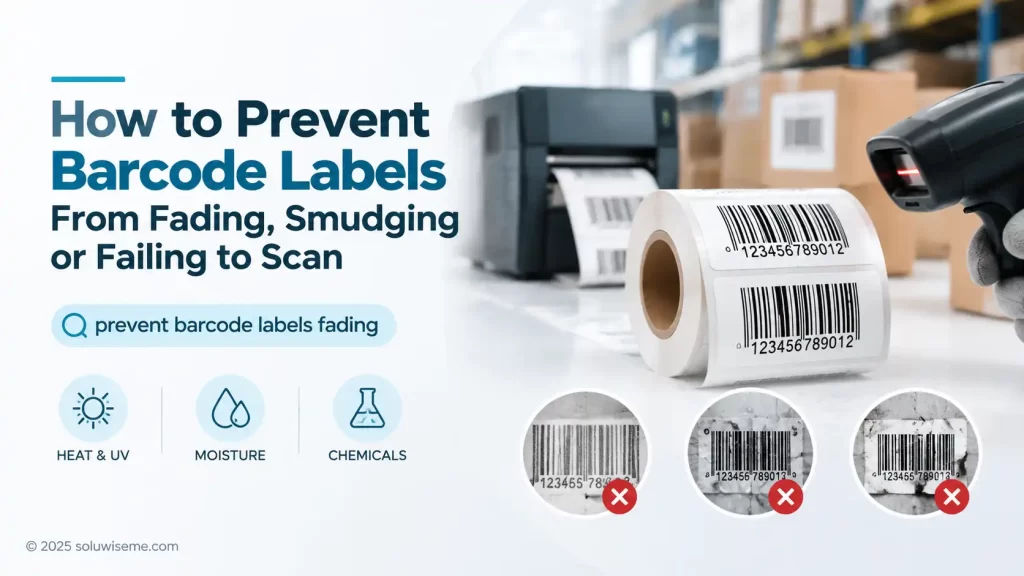
A faded barcode can stop a warehouse team from receiving stock, delay a retail price check or make an asset record difficult to retrieve. Barcode labels fading is usually not a scanner problem alone; it is often the result of an unsuitable label type, incorrect ribbon, poor printer setup or harsh storage conditions.
The practical rule is simple: match the label material and printing method to the label’s expected life and environment. Direct thermal labels suit short-lived indoor uses, while thermal-transfer labels are generally the better choice for labels exposed to handling, heat, moisture, abrasion or long storage periods.
Before replacing scanners or changing barcode data, inspect a failed label closely. Its appearance usually gives a useful clue about what went wrong.
Why barcode labels fading happens
Most barcode label failures fall into one of three groups: the printed image fades, the surface is damaged, or the printed barcode was never dark and clear enough to begin with. A barcode may still look readable to the eye while producing inconsistent scans because scanners need strong contrast between bars and spaces.
In UAE warehouses, loading areas and delivery operations, labels may be exposed to high ambient heat, sunlight near shutters or vehicles, dust and repeated handling. These conditions can shorten the useful life of an unsuitable label, particularly a direct thermal label.
Direct thermal printing fades with heat and light
Direct thermal labels have a heat-sensitive surface that darkens when the printhead applies heat. They do not use a ribbon. This makes them convenient for short-term applications such as dispatch labels, short-duration carton identification or temporary picking labels.
The same heat-sensitive coating can react to external heat, UV exposure, friction and contact with some chemicals. Labels stored near windows, left in hot vehicles or handled repeatedly can become grey, blotchy or difficult to scan. A direct thermal label is therefore a poor fit for long-term asset identification, stock labels held for many months or products likely to face harsh handling.
Thermal-transfer labels rely on the right ribbon
Thermal-transfer printing uses a ribbon to transfer an image onto the label. It is commonly selected where better barcode label durability is needed. However, the benefit depends on choosing a ribbon that suits the label material and working conditions.
A ribbon that is unsuitable for the face stock may produce a light image, weak edges or print that rubs away. For example, a label intended for regular handling should not be paired with a ribbon chosen only for a short-lived indoor application. The label and ribbon should be treated as a matched system rather than separate purchases.
How to identify the cause of an unreadable barcode
A quick inspection can help distinguish a print problem from an environmental problem. Compare a newly printed label with a failed sample from the same batch. If the new label is already pale or broken, start with printer settings and maintenance. If the new label is clear but older labels fail, investigate exposure, handling and material selection.
| Symptom | Likely cause | Useful first check | Typical corrective action |
|---|---|---|---|
| Label turns grey or brown over time | Direct thermal material exposed to heat or sunlight | Check where labelled items are stored or transported | Use thermal transfer for longer-lived labels |
| Print rubs or scratches off | Ribbon and label material are not suited to abrasion | Rub a spare label lightly with a finger or packaging surface | Review label and ribbon compatibility |
| Barcode is pale from the first print | Low print darkness, worn printhead or poor ribbon contact | Print a test label and inspect bar edges | Adjust settings and inspect the printhead |
| Some bars or sections are missing | Dirty or damaged printhead, creased ribbon or uneven pressure | Look for repeated blank lines in the same position | Clean the printhead and inspect media loading |
| Labels peel, wrinkle or become marked | Moisture, unsuitable adhesive or physical abrasion | Review the surface, temperature and handling cycle | Select material appropriate to the application |
Printer settings that affect barcode readability
Print darkness and print speed need to be balanced. Raising darkness may make a pale barcode easier to scan, but too much heat can cause bars to spread, edges to blur and small gaps to close. A barcode with thickened bars can be just as difficult to scan as a faded barcode.
Start with the printer manufacturer’s recommended baseline for the installed media, then make small changes. Print several labels and test them with the scanners used in the actual operation. Testing only one label at a desk may not reveal a problem that appears when operators scan quickly from different angles.
Check the printhead before changing everything else
A dirty printhead can create white streaks, weak sections or inconsistent density. Dust, adhesive residue and ribbon debris interfere with heat transfer. Cleaning should be carried out using an appropriate approved method and only when the printer is switched off and cool enough to handle.
If a missing line appears in exactly the same place on every label after cleaning, the printhead may be damaged or worn. Increasing print darkness may disguise the fault briefly, but it can place additional stress on the printhead and does not correct the underlying problem.
Load labels and ribbons carefully
Misaligned media, loose ribbon tension and wrinkled ribbon can all reduce print quality. Check that the label roll is seated correctly, guides are adjusted without crushing the media and the ribbon path is smooth. A consistent setup is especially useful for narrow barcodes and small label sizes, where minor defects are more noticeable.
Choose labels according to the working environment
The expected life of the label should guide the decision. A temporary shipping label has very different requirements from a warehouse location label, a hotel laundry item label or an equipment asset label.
- Short-term indoor labels: Direct thermal labels can be suitable for dispatch, picking and temporary identification where labels are used quickly and kept away from significant heat or sunlight.
- Warehouse cartons and inventory: Thermal-transfer labels are generally more appropriate where cartons are handled repeatedly, held in storage or moved through dusty loading areas.
- Retail shelf or back-room labels: Consider exposure to lighting, cleaning routines and handling. Labels that remain in place for extended periods may need better image durability than temporary promotional labels.
- Laundry and textile operations: Repeated washing, drying, detergents and friction require purpose-designed fabric or laundry labels. Standard paper labels are not suitable for this cycle.
- Assets and equipment: Asset labels often need to remain readable for a long period. The material should be selected around the surface, indoor or outdoor exposure, cleaning method and expected handling.
Moisture also matters. Condensation on chilled goods, humid storage spaces and wet handling can weaken label adhesion or damage paper-based materials. It is useful to assess both the label face and adhesive, rather than assuming that a darker print alone will solve the issue.
Recommended products for longer-lasting barcode printing
Thermal-transfer labels
Thermal-transfer labels are a sensible option for businesses that need a printed barcode to remain legible through storage, handling or transport. They suit warehouse inventory, carton labels, product identification and many asset-tracking applications because the printed image is transferred by ribbon rather than created directly on a heat-sensitive coating.
They are not automatically suitable for every environment. The correct face material, adhesive and ribbon still depend on the surface, exposure and required label life. A label for a clean indoor carton does not need the same construction as one used on equipment exposed to abrasion or changing temperatures.
Zebra printers
Zebra printers are relevant where a business needs controlled barcode output for regular operational printing. They can suit teams printing labels for warehouse, logistics, retail, manufacturing or asset-identification workflows, subject to selecting a printer that matches label size, print volume and media type.
Printer choice alone will not prevent a faded barcode. The installed label stock, ribbon, print settings and maintenance routine remain part of the result. For operations with heavier label use, a printer intended for industrial barcode work may be a more appropriate starting point than equipment designed only for occasional desktop printing.
Zebra-compatible ribbons
Zebra-compatible ribbons are used in thermal-transfer setups to create the barcode image on compatible label materials. They are most useful where direct thermal printing is proving too temporary and a business needs better resistance to routine rubbing and storage conditions.
The limitation is compatibility: ribbon selection should be checked against the printer and label material. Choosing only by width or price can lead to poor transfer, smudging or excessive printhead wear. A test run with the actual label and expected handling conditions is a practical purchasing step.
Selecting a Zebra printer for durable label output
For teams moving from temporary labels to thermal-transfer printing, printer selection should account for label dimensions, expected print volume and the ribbon-and-label combination being used. This helps avoid treating a material issue as a scanner or data issue.
Explore industrial barcode printer options in Dubai and the UAE, or contact SoluWise to discuss the printing environment and media requirements.
Practical habits that reduce label failures
- Store unused labels properly. Keep media away from direct sunlight, excessive heat, moisture and dusty areas. Do not leave direct thermal rolls in vehicles or near heat sources.
- Test the complete application. Apply sample labels to the real surface, then expose them to the normal handling, storage and cleaning conditions before committing to a large run.
- Use suitable barcode size and contrast. Very small barcodes are less tolerant of print defects, scratches and poor scanner positioning. Give the code sufficient space and preserve clear quiet zones around it.
- Maintain the printer. Clean the printhead at suitable intervals, inspect rollers and check for media debris. Record recurring faults so they can be linked to a particular ribbon, label batch or printer.
- Review changes in the process. A label that worked previously may fail after a change in packaging, storage location, cleaning chemicals or transport conditions.
It is also helpful to keep barcode data separate from print quality. A correctly encoded barcode can still be unreadable if it is faded, blurred or damaged. Likewise, printing a barcode does not register a product identifier or create GS1 registration; those are separate processes.
Frequently asked questions
Can faded barcode labels be restored?
Usually, no. Once the printed image has faded or the label surface is damaged, reprinting and replacing the label is generally more reliable than trying to improve the old one.
Why does a barcode scan sometimes but not every time?
Intermittent scanning often points to weak contrast, blurred bar edges, scratches, poor quiet zones or a damaged section of the code. Test several samples from different parts of the print run.
Are direct thermal labels suitable for warehouse use?
They can be suitable for short-lived warehouse tasks such as dispatch and temporary picking. For labels expected to remain readable through extended storage, handling or warm conditions, thermal-transfer labels are usually the safer option.
Does increasing print darkness fix an unreadable barcode?
It may help if the image is too light, but excessive darkness can make bars spread and reduce scan performance. Check printhead condition, media loading and ribbon compatibility before making large setting changes.
Why is the print missing in the same place on every label?
A repeated blank line often indicates debris or damage on the printhead. Clean it using the appropriate method first; if the defect remains in the same position, the printhead may need assessment.
A practical decision rule for durable barcodes
If a barcode is needed only briefly in a clean indoor process, direct thermal printing may be sufficient. If it must survive time, heat, sunlight, moisture, rubbing or repeated handling, move toward a thermal-transfer label and ribbon combination selected for the actual application.
SoluWise can help assess label size, printer compatibility, expected print volume and the conditions the label will face. Sharing a failed sample, the application details and a clear description of the working environment makes it easier to identify the right next step.


