
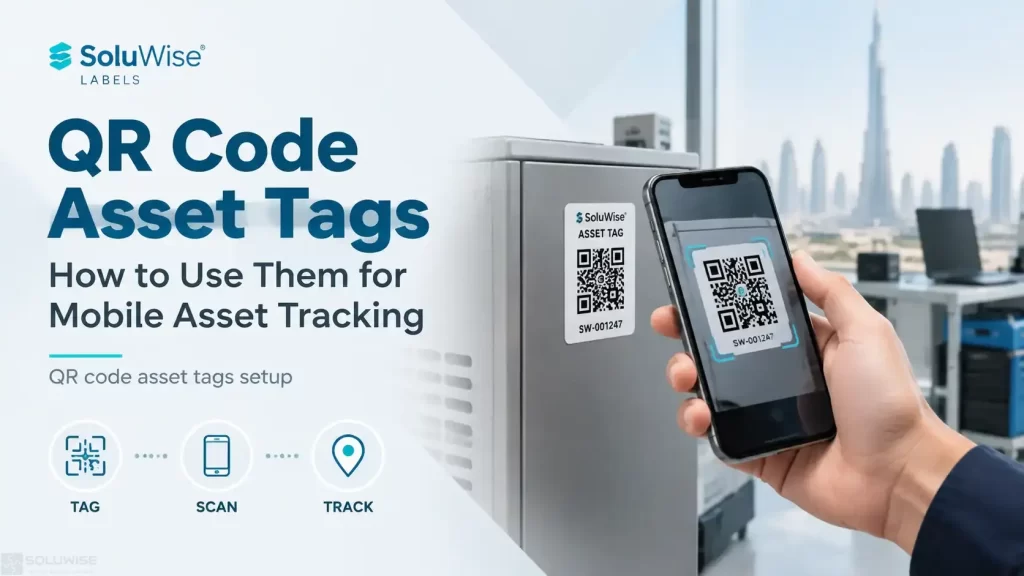
QR code asset tags give staff a practical way to identify equipment with a phone or handheld scanner. Instead of searching a spreadsheet or calling the storekeeper, a scan can open or locate the relevant asset record. This makes mobile asset tracking more realistic for teams checking tools, IT equipment, furniture, warehouse assets or reusable items across several locations.
The most useful approach is simple: place a durable QR asset label on the item, assign that code to one record in a tracking system, and define what staff should do after scanning. The label itself does not track an asset automatically. It provides the fast, reliable identifier that connects the physical item to the process behind it.
For most businesses, QR code asset tags are a good fit where staff already carry smartphones, assets move between departments, and the team needs a low-barrier method for audits, issue and return, maintenance checks or stocktaking.
How QR code asset tags work
A QR code is a two-dimensional barcode that can hold text or, more commonly for asset control, a short identifier or web address. When scanned, it passes the user to an asset record, a form, a maintenance history or a controlled lookup screen. The destination depends on the tracking software and the workflow chosen by the business.
A practical warehouse example might be a pallet jack marked with the asset ID WH-PJ-014. The QR code can contain that ID. A staff member scans the tag, searches or opens the matching record, then records its condition, current location or assigned user. The same method can work for laptops issued to employees, hotel maintenance equipment or display fixtures in retail branches.
QR codes are often easier to use than a printed asset number alone because the scanner reads the identifier without manual typing. That can reduce transcription errors, but only if each code is unique and the underlying records are maintained properly.
What data should be inside the QR code?
There are two common choices. The first is a unique asset ID, such as IT-LT-0038. This is usually the more controlled option because the asset data remains in the tracking system rather than being printed into the code. The scanning app or software then uses the ID to find the record.
The second choice is a URL leading to the asset record or a check-in form. This can be convenient for mobile use, particularly if staff scan with a standard phone camera. However, the URL should remain stable. If an internal system changes its web addresses, older labels may lead to the wrong page or stop working.
Avoid putting sensitive information in a QR code, such as passwords, personal details or confidential asset values. QR codes can be photographed and read by anyone who has access to the label.
| QR code content | Useful for | Points to consider |
|---|---|---|
| Unique asset ID | Controlled inventory systems and internal asset registers | Requires a lookup method in the chosen software or app |
| Record URL | Fast access to web-based records or forms | Links must stay active and access permissions must be managed |
| Short asset reference plus location code | Simple internal audits and manual registers | Can become harder to manage if location details change frequently |
Linking QR asset labels to asset records
The QR label is only one part of a working QR code inventory process. Every printed code needs one matching record, and that record needs enough information for staff to make a useful decision after scanning. At a minimum, many organisations record the asset ID, description, serial number where applicable, department, assigned person or location, status and date of the last check.
For maintenance-driven assets, the record may also include inspection dates, fault reports and service notes. For IT assets, a record can identify the device type, user and handover status. The exact fields should reflect the action staff need to take, rather than becoming a long form nobody completes.
It helps to decide who may edit records before rollout. A technician may be allowed to log a repair, while a general user might only submit a fault report or confirm an item is in their possession. This avoids a QR code becoming an uncontrolled route into asset data.
Choosing labels for mobile asset tracking
Barcode/QR asset labels are the physical foundation of the system. They suit organisations that need machine-readable identifiers on equipment, containers, tools and fixed assets. A label can carry a QR code, a human-readable asset number and a short description, giving staff a fallback when a camera is unavailable or a code is damaged.
Label material matters more than the code design alone. A paper label may be acceptable for an indoor archive box or low-contact office item, but it may be unsuitable for frequently handled equipment, rough warehouse use, cleaning chemicals or heat. In UAE warehouses and outdoor-adjacent areas, heat, dust and humidity can affect adhesion and readability, so the intended surface and exposure should be discussed before ordering.
Curved surfaces, textured plastic, painted metal and equipment that is regularly wiped down can all need different adhesive and material choices. Very small assets also need careful label sizing: a QR code that is too small, poorly printed or fitted around a curve can be difficult to scan.
Tracking software is the second recommended product category. It suits teams that need a central asset register rather than a collection of disconnected scans. The software should be selected around the workflow: check-in and check-out, audit verification, maintenance, location updates or inventory counting. Before choosing a platform, confirm how it creates asset records, how it accepts QR scans, which user permissions it offers and whether staff can work from their available mobile devices.
Tracking software is not a substitute for disciplined asset data. If staff do not update assignments or locations, a scan may open a record that is technically complete but operationally out of date. Smaller teams with a straightforward asset list may begin with a simple register, while organisations with regular issue-and-return activity usually benefit from clearer status and history controls.
Recommended scanning options
For occasional checks, a smartphone camera may be enough. Many current phones can recognise standard QR codes through their built-in camera functions, particularly where the QR code contains a web link. This is convenient for basic lookup and inspection forms, provided staff have network access and permission to open the destination.
For a managed workflow, use the mobile app supplied with the selected tracking software if it supports QR scanning. This can provide a more controlled experience because the scan can open the correct asset workflow rather than leaving staff to search for a record manually. The software provider should confirm device compatibility and any login requirements.
Dedicated barcode scanners can be appropriate where teams scan many labels each day, work with gloves, or need a more consistent scanning process than personal phones allow. A QR code must be paired with a scanner that reads two-dimensional codes; not every barcode scanner does. Test labels in the actual lighting, mounting position and working distance before a full print run.
Setup steps for QR code inventory control
- Define the process first. Decide what a scan should achieve: identify an item, confirm a location, assign it to a user, report a fault or record an audit.
- Build a clean asset register. Remove duplicates and agree a unique numbering format before creating codes. Do not reuse an identifier after an asset has been retired unless records are handled carefully.
- Create one code per asset. Generate the QR data from the asset ID or record URL selected for the system.
- Test scanning before production. Check printed samples on the target surface with the intended phones, app or scanner.
- Print and apply suitable QR asset labels. Leave enough quiet space around the QR code and avoid placing it across seams, deep curves or moving parts.
- Train users on the next action. A good scan is not enough; staff should know how to update status, report damage or correct a location.
- Review labels during audits. Replace damaged labels and investigate codes that repeatedly fail to scan.
Common QR code asset tag mistakes
A frequent mistake is treating the QR code as the complete tracking system. The code only identifies or directs the user to information. Accurate records, clear ownership and a repeatable scanning routine are what make the process useful.
Another problem is printing codes without checking contrast and size. Dark code elements on a light background generally scan more reliably than low-contrast designs. Decorative backgrounds, glossy reflections and very dense codes can also create scanning difficulties.
Teams should also avoid making every asset label identical apart from the QR code. Adding a readable asset number helps staff report an issue when a camera cannot read the label. For assets exposed to regular handling, plan for replacement labels rather than assuming one label will last for the full life of the equipment.
SoluWise labels for small, frequently handled assets
QR tracking works best when the printed code remains readable on the item in normal use. SoluWise can help businesses consider label format and application conditions for items that need compact identification, including small tagged products and equipment.
For examples of specialist small-format identification labels, view SoluWise jewelry and optical labels and tags. Share the item surface, label size and expected handling conditions to discuss a suitable approach.
Frequently asked questions
Can a QR code track an asset’s location automatically?
No. A QR code identifies the asset when somebody scans it. The location changes only when the user records a new location in the linked system or completes a location-based workflow.
What is the difference between QR asset labels and barcode labels?
A standard linear barcode stores data in a row of bars, while a QR code stores data in a square pattern. QR codes can hold more data and are commonly scanned by phone cameras. Both can identify assets if the scanner and software support them.
Can staff use their own phones for QR code inventory checks?
They can for suitable workflows, but the business should consider access controls, user permissions, data visibility and the reliability of personal-device use. A managed app or dedicated scanner may suit higher-volume or more controlled operations.
How large should a QR code asset tag be?
The right size depends on the amount of encoded data, print quality, scanning distance and available space. Test a sample on the actual asset with the intended device before committing to the final label size.
Do QR code asset tags need internet access?
They need internet or local network access if a scan opens an online asset record. A system that stores data locally may work differently, so this should be checked with the tracking software provider.
A practical decision rule
Use QR code asset tags when staff need a quick, visible identifier and can reliably scan items during the moments that matter: issue, return, inspection, movement or audit. Choose the label material for the real working environment, keep the QR data simple, and connect every code to a maintained asset record.
If the application involves small items, warehouse equipment or regularly handled assets, contact SoluWise with the label size, surface material, printing volume and intended scanning method. That information makes it easier to assess the right barcode/QR asset labels and a practical tracking workflow.


