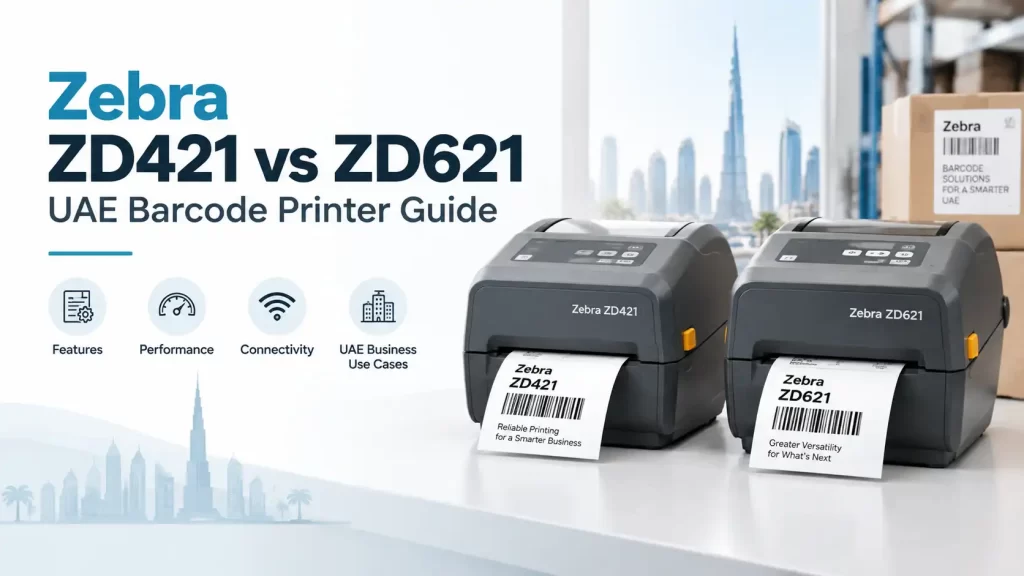
Choosing between these two Zebra desktop printers usually comes down to workload, operator experience and the level of flexibility required over the printer’s working life. Both can suit everyday barcode labelling, but they are aimed at different operating expectations.
For most lower-to-medium volume applications, the Zebra ZD421 printer is the sensible starting point. The Zebra ZD621 printer is generally the better fit where faster output, a more advanced user interface, broader configuration choices or greater room for changing requirements justify the higher specification.
Zebra ZD421 vs ZD621: the practical verdict
The Zebra ZD421 is a practical desktop printer for routine label production. It suits businesses that need dependable barcode labels for stock, shelves, samples, cartons, patient files or asset identification without requiring an advanced display or extensive options.
The Zebra ZD621 is positioned for more demanding desktop use. Its higher-capability platform, colour touchscreen interface and broader feature set can make daily administration easier in busier environments, particularly where several staff members use the printer or where printing requirements may expand.
Neither model should be selected on the printer name alone. Zebra offers variants and configurations with different print methods, resolutions, connectivity choices and application-specific features. The intended label material, label width, quantity per day and operating environment should be confirmed before ordering.
| Buying factor | Zebra ZD421 | Zebra ZD621 |
|---|---|---|
| Typical role | Routine desktop barcode and identification labels | Higher-demand desktop labelling with more advanced operator controls |
| Processing capability | Suitable for standard day-to-day print jobs | Generally offers a higher-capability platform for more demanding workflows |
| Print speed | Appropriate for normal desktop label volumes | Available with higher-speed capability on relevant configurations |
| User interface | Button-and-indicator operation designed for straightforward use | Colour touchscreen interface for clearer settings and status visibility |
| Connectivity | Configuration-dependent wired and wireless options | Configuration-dependent connectivity choices, with greater flexibility on selected models |
| Optional features | Options depend on the exact model selected | More advanced and application-specific options are available on selected versions |
| Best fit | Retail counters, back offices, light warehouse tasks and routine identification | Busy operations, healthcare workflows, logistics desks and sites planning for added requirements |
Processing capability and print speed
Processing capability matters when a printer receives frequent label jobs, uses complex label formats or is connected to business software. A simple stock label containing a product code, description and barcode places less demand on the printer than a carton label with multiple barcodes, variable fields, logos and serial information.
The ZD421 is well suited to regular, uncomplicated desktop printing. A retail back office printing replenishment labels, a workshop marking components or a small warehouse producing pick-bin labels may not need more than this level of capability.
The ZD621 is better considered where staff need labels quickly throughout the day or where print jobs are more varied. Its higher-performance design can be useful at dispatch stations, goods-receiving desks and healthcare locations where delays caused by reconfiguring a printer can interrupt staff.
Print speed should not be assessed in isolation. Faster printing is useful only if the label stock, print darkness, barcode size and resolution are correctly chosen. Printing a small, dense barcode at an unsuitable speed or darkness can affect scan quality. A sample label should be tested with the intended scanner before a full roll is produced.
User interface: simple controls or a touchscreen?
The difference in operator interaction is one of the clearest distinctions in the Zebra ZD421 vs ZD621 comparison. The ZD421 uses a simpler control layout, which is often enough for a printer installed once and used consistently with the same label format.
The ZD621’s colour touchscreen provides more detailed on-printer information and setting access. This can reduce guesswork when operators need to check media settings, connection status or printer messages. It is particularly helpful where shifts change, multiple staff use the device or the printer runs several label formats.
A touchscreen is not automatically necessary. If one trained employee operates the printer and prints a single established label design, the ZD421’s simpler interface may be preferable. If different users regularly load media, change jobs or investigate errors, the ZD621 can be easier to manage.
Connectivity and integration checks
Both Zebra desktop printer families are offered in configurations that can support common business connection methods, but the exact connectivity fitted to a particular unit must be checked. A purchasing team should confirm how the printer will connect before selecting a model: directly to one computer, through a wired network, over Wi-Fi, or through another workflow.
For example, a warehouse packing bench may need a stable network connection so that labels can be sent from a central system. A mobile retail fixture may favour wireless connectivity, provided the site’s network coverage and IT policy support it. A printer connected to a single PC may require nothing more elaborate than a direct connection.
It is also sensible to confirm the software environment. The printer may need to work with a warehouse management system, ERP platform, point-of-sale application or label-design software. The application team should provide the label format, print command language requirements and connection method before procurement.
Media compatibility and print method
Label media is often more important than the printer chassis. Both product families are available in forms intended for different printing methods, including direct thermal and thermal transfer configurations. The right choice depends on how long the label must remain readable and what conditions it will face.
Direct thermal labels are useful for short-life applications such as dispatch labels, receipts and temporary logistics identification. They do not use a ribbon, but the printed image can be affected by heat, light, friction and time. In a hot loading area or where labels may remain on cartons for extended periods, a short-life direct thermal label may not be appropriate.
Thermal transfer printing uses a ribbon and is commonly selected where the label needs better durability. It may suit inventory labels, asset labels, product identification or carton labels that could be handled repeatedly. The face material, adhesive and ribbon must be matched as a system; a durable ribbon alone cannot compensate for an unsuitable label material.
For UAE warehouses, the assessment should include heat, dust, humidity and handling. A label applied to clean indoor cartons has different needs from one fixed to plastic containers, metal equipment or reusable crates. If labels will be exposed to cleaning chemicals, abrasion or outdoor conditions, the application should be reviewed before choosing either printer or media.
Optional features and specialised configurations
Optional features can have a major effect on day-to-day handling. Depending on the model and configuration, businesses may need functions such as dispensing, cutting, higher print resolution or specialised versions for particular environments. These should be specified from the application rather than added because they sound useful.
A peel-and-present arrangement can help an operator applying one label at a time to products or files. A cutter may suit jobs where labels or tags need to be separated individually. Higher resolution can be relevant for very small text, compact barcodes or detailed graphics, although it may not be necessary for ordinary warehouse labels.
Selected ZD621 variants may also address more specialised requirements, including RFID-related workflows or healthcare-focused use. These are not standard requirements for every desktop installation. A business should first define the actual need: printing a barcode does not create a GS1-issued identifier, register a product or provide GS1 certification. Barcode data, label design and any product-number allocation remain separate matters.
Which printer suits retail, healthcare and logistics?
Retail and back-office labelling
A Zebra ZD421 printer is often suitable for retailers producing shelf labels, stock labels, return labels and internal product identifiers at a manageable daily volume. It is a practical option where label formats are stable and staff need straightforward operation.
The ZD621 may suit a larger store group, busy replenishment room or central retail office where several formats are used and operators benefit from clearer printer guidance. It can also be a sensible choice where the printer is expected to take on more work later.
Healthcare and laboratory identification
Healthcare workflows demand careful process design because labels may identify samples, records, medicines or equipment. The selected printer, label and ribbon must suit the site’s actual protocols and cleaning practices. The ZD621 can be attractive where its interface and available specialised configurations support a more controlled desktop workflow.
The ZD421 can still be appropriate for lower-complexity internal identification where the required media and printer configuration have been confirmed. Barcode readability should be checked at the size used; reducing a barcode to fit a small label without testing can create scanning problems.
Warehouse and logistics operations
For bin labels, carton labels, receiving labels and dispatch paperwork, the decision rests heavily on volume and label life. A ZD421 can serve a packing desk with predictable output. A ZD621 is more suitable for a busier station where operators print throughout the day, change media more often or require greater visibility of printer status.
Neither desktop model is automatically the right answer for sustained industrial-volume printing. If labels are needed continuously across long shifts, a purchasing team should quantify peak demand rather than average demand. A printer that copes with 200 labels on a quiet day may be unsuitable for a peak dispatch period with many more jobs.
Decision matrix for UAE buyers
| If this describes the application | Likely starting point | What to confirm before purchase |
|---|---|---|
| One workstation prints a stable label format at routine volume | Zebra ZD421 | Print method, resolution, connection type and label dimensions |
| Several users need to check settings and resolve messages quickly | Zebra ZD621 | Touchscreen workflow, user access and required connectivity |
| Busy goods-in or dispatch desk with changing print jobs | Zebra ZD621 | Peak labels per hour, media changes and software integration |
| Short-life shipping or temporary labels | Either model in a suitable direct thermal configuration | Heat exposure, label duration and barcode scan quality |
| Longer-life inventory or asset labels | Either model in a suitable thermal transfer configuration | Ribbon, label material, adhesive and surface type |
| Highly specialised RFID or healthcare workflow | ZD621 configuration may be relevant | Exact variant, media requirements and workflow compatibility |
Common purchasing mistakes to avoid
- Ordering by printer family only: confirm the exact model code and configuration, not just “ZD421” or “ZD621”.
- Choosing labels after the printer arrives: label width, roll format, core size, material and print method affect compatibility.
- Ignoring the application surface: cardboard, plastic, metal, fabric and reusable containers need different materials and adhesives.
- Using an untested barcode size: test printed labels with the scanner and at the expected scanning distance.
- Buying for average volume: assess the busiest hour, not only the total labels printed in a typical week.
- Assuming Wi-Fi is included: connectivity varies by configuration and should be verified with the supplier and IT team.
Frequently asked questions
Is the Zebra ZD621 always better than the ZD421?
No. The ZD621 offers more advanced controls and capability, but the ZD421 can be the better-value choice for routine desktop printing with stable requirements. The right model is the one that fits the workload and configuration needed.
Can both printers print barcode labels?
Both families are intended for barcode and identification labelling in suitable configurations. The label design, print settings, material and scanner test determine whether the finished barcode is readable for the intended application.
Should a warehouse choose direct thermal or thermal transfer?
Direct thermal can suit short-life labels, while thermal transfer is commonly chosen where labels must remain readable for longer or face more handling. The decision should be based on the label’s expected life and environment.
Does a higher-resolution printer make every label better?
Not necessarily. Higher resolution is useful for very small text or compact barcode symbols, but ordinary labels may not need it. It can add cost without improving a label that is already readable at the required size.
Can these printers be used for GS1 barcodes?
A printer can print a correctly designed barcode symbol, including data supplied for a GS1-based format. However, printing a barcode does not allocate a GS1 company prefix, register a product or provide GS1 certification.
What information should be provided when requesting a printer quotation?
Share the label width and height, material, adhesive requirement, print method, expected labels per day and peak period, barcode size, connection method, software or system involved, and any environmental exposure. A photo or sample of the current label is also useful.
Make the final choice from the label application
The Zebra ZD421 is a sound choice for straightforward desktop label production where usability and dependable routine operation matter most. The Zebra ZD621 is better justified where workload is heavier, operator visibility matters, specialised configurations are needed or the business expects its labelling process to develop.
Before committing, test the intended label and barcode format under normal working conditions. For a warehouse in Dubai, Abu Dhabi or elsewhere in the UAE, that should include the real carton surface, handling process, scanner and environmental exposure rather than a paper-only review.
SoluWise Labels can help buyers assess Zebra ZD421 and ZD621 requirements alongside suitable label materials and ribbons. Share the application, media dimensions, expected volume, print method and connectivity needs so the proposed configuration is based on the job rather than assumptions.