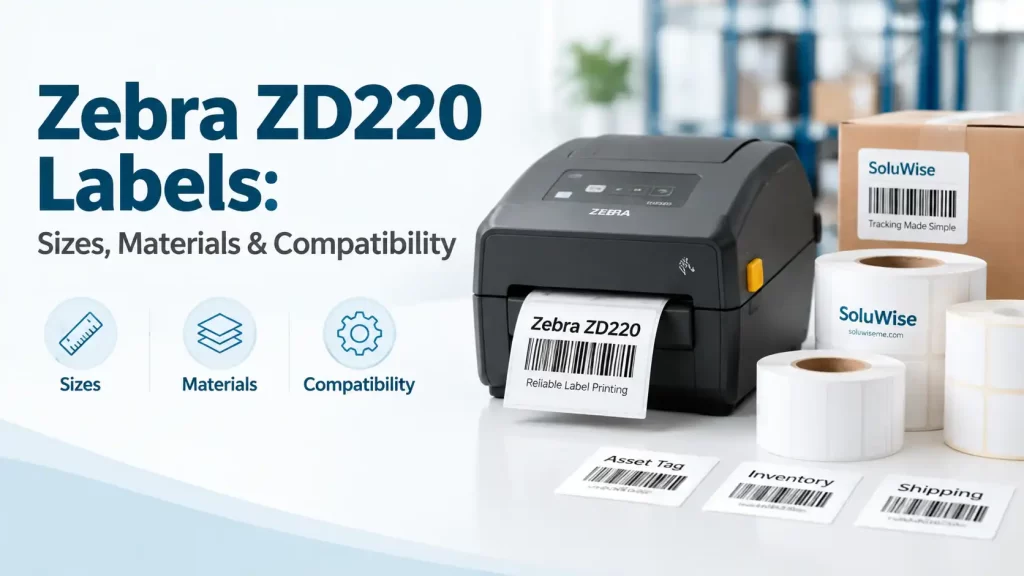
Selecting the right Zebra ZD220 labels starts with one practical question: is the printer a direct thermal model or a thermal transfer model? The two variants use different print methods, so a label roll that works well in one may not be suitable for the other.
The Zebra ZD220 is commonly used for shipping labels, warehouse identification, retail price labels, carton labels and basic asset identification. It is a compact desktop printer, but label compatibility still depends on media width, label material, roll construction and correct printer setup.
Which Zebra ZD220 labels are compatible?
The Zebra ZD220 accepts roll media within its supported media-width range, generally covering narrow labels through to approximately 4-inch-class labels. In practice, the label must fit the printer’s adjustable media guides and remain within the printer’s printable area. A label can physically pass through the printer but still print poorly if its width, sensor setting or roll construction is incorrect.
For most applications, buyers should check these points before ordering labels for Zebra ZD220 printers:
- Printer variant: direct thermal or thermal transfer.
- Label width and height: including the gap, black mark or continuous-media format.
- Label material: paper, synthetic film or another compatible facestock.
- Adhesive requirement: permanent, removable or application-specific adhesive.
- Roll core and outside diameter: the roll must fit the desktop printer’s media compartment.
- Print environment: heat, moisture, handling, abrasion and expected label life.
A useful distinction is that label width is not the same as print width. A wide label may fit in the printer, but the barcode, text and graphics still need to sit inside the usable print area with sensible margins.
ZD220 label size: choosing dimensions for the job
There is no single correct ZD220 label size. The right dimensions depend on what must appear on the label and where it will be applied. A small retail item may only need a product name, price and barcode. A warehouse carton label may need a larger barcode, handling text, item description, batch number and destination details.
| Application | Suitable label approach | Points to check |
|---|---|---|
| Courier and dispatch parcels | Medium to large direct thermal shipping labels | Barcode size, address content, adhesive performance on cartons |
| Warehouse bins and shelves | Paper labels for ordinary indoor use; synthetic labels for longer life | Scanning distance, shelf surface, heat and abrasion |
| Retail price labels | Smaller paper labels with clear text and barcode layout | Product shape, adhesive tack and readable font size |
| Carton and pallet identification | Larger labels with high-contrast barcodes | Label orientation, handling and scan location |
| Asset identification | More durable materials where labels remain in service | Surface preparation, rubbing, cleaning and expected life |
Before finalising a size, print a sample containing the actual information required. A barcode that looks acceptable on screen can become too small, too dense or too close to the label edge once printed. This is especially relevant for small ZD220 label sizes used on cosmetics, electronics accessories, spare parts and retail packaging.
Direct thermal versus thermal transfer labels
The most important compatibility decision is the printing method. Zebra produces ZD220 variants for direct thermal printing and thermal transfer printing. The printer type determines the media that should be used.
Direct thermal labels
Direct thermal labels have a heat-sensitive surface. The printhead applies heat directly to the label material, creating the image without a ribbon. These Zebra direct thermal labels are often suitable for short-life applications such as shipping, dispatch, order fulfilment, visitor labels and temporary warehouse identification.
Direct thermal printing is convenient because there is no ribbon to load. However, heat-sensitive labels can darken or fade when exposed to high temperatures, direct sunlight, friction or prolonged storage. For UAE operations, this can matter when labels spend time in hot vehicles, outdoor receiving areas or bright storage locations.
Thermal transfer labels and ribbons
A thermal transfer ZD220 uses a ribbon between the printhead and the label. Heat transfers ribbon coating onto the label surface. This method is generally more appropriate where printed information needs greater resistance to handling, rubbing or longer storage.
Compatible thermal transfer labels should only be selected for the applicable thermal transfer variant. A direct thermal ZD220 does not use ribbons, so ordering thermal transfer ribbons for that model would not solve a print-quality issue. Ribbon type must also suit the label material: a paper label and a synthetic film label may require different ribbon choices.
For straightforward short-term dispatch work, compatible direct thermal labels are usually the simpler recommendation. For longer-life identification, labels exposed to handling or labels on synthetic materials, a thermal transfer ZD220 with compatible thermal transfer labels and a suitable ribbon is the more sensible route.
Choosing label material for the working environment
Material selection affects both print quality and label life. Paper is often adequate for controlled indoor applications, but it is not automatically suitable for every task. A warehouse label may be rubbed by cartons, exposed to dust or placed on uneven surfaces; an asset label may face cleaning chemicals or repeated handling.
Paper labels
Paper labels are widely used for retail, inventory, carton identification and general-purpose barcode work. They are economical and print well when the application is dry and relatively clean. They are less suitable where water, abrasion or long-term outdoor exposure is expected.
Synthetic labels
Synthetic materials can be considered where higher resistance to moisture, tearing or handling is needed. The exact material and adhesive should be chosen according to the surface and conditions rather than assumed from the word “synthetic”. A smooth plastic tote, a corrugated carton and a painted metal asset can all need different adhesive behaviour.
Adhesive selection matters too
The adhesive is as important as the printable face material. Permanent adhesive is often used for carton, shelf and product labels that should remain attached. Removable adhesive can suit temporary marking, but it should be assessed on the actual surface because residue, temperature and storage time can affect removal.
For labels applied in warm or humid conditions, test samples on the real surface whenever possible. This is more useful than choosing solely by label appearance or thickness.
Roll core, media path and label sensing
Compatible labels must fit the ZD220 media compartment and feed smoothly under the guides. Desktop label rolls are commonly supplied on a core designed for desktop printers, but purchasers should still confirm core size, roll outside diameter and winding direction before placing a repeat order.
Label rolls can be supplied as gap labels, black-mark labels or continuous media. The printer needs the correct sensing method for the media type. Gap labels have a space between labels, while black-mark media uses a mark on the liner to indicate label position. Continuous media has no individual gap, so print length is controlled through the printer settings or label software.
If the sensor does not recognise the label start correctly, the ZD220 may feed too far, stop between labels or print across the gap. This is usually a media setup issue, not necessarily a printer fault.
Calibrating labels for Zebra ZD220 printers
Calibration allows the printer to detect the media correctly. It should be carried out after changing to a substantially different label size, changing from gap media to black-mark media, or experiencing repeated alignment problems.
- Load the label roll squarely and adjust the media guides so they touch the label edges without squeezing the roll.
- Confirm the selected media type in the printer settings or label software.
- Run the appropriate calibration process for the printer and media configuration.
- Print a small test label and check where printing starts and ends.
- Adjust the label dimensions in the software if the printed image is shifted, clipped or incorrectly scaled.
Calibration should not be used to compensate for an incorrectly specified label. If the roll is too wide, wound incorrectly or unsuitable for the printer variant, a settings change alone will not correct the underlying problem.
Common Zebra ZD220 print-quality problems
Most printing issues can be narrowed down by checking media, settings and printhead condition in that order. Replacing labels without identifying the cause can waste time and consumables.
Faded, patchy or incomplete print
On a direct thermal model, faded print may result from an unsuitable label material, a low darkness setting, a dirty printhead or old heat-sensitive stock. On a thermal transfer model, check that the ribbon is installed correctly and is compatible with the label material. Increase darkness cautiously: excessive heat can make barcodes spread, reduce edge definition and shorten printhead life.
Labels feeding too far or stopping in the wrong position
This usually points to incorrect media sensing, poor calibration or an incorrect label-height setting in the software. Check whether the roll uses gaps, black marks or continuous media. Also inspect the liner path for dust, adhesive build-up or labels that are not seated evenly between the guides.
Barcode will not scan
A barcode may fail because it is too small for the scanner and scanning distance, printed too lightly, overly dark, distorted, or placed too close to the label edge. Start with a larger barcode and clear quiet zones around it. Printing a barcode does not assign or register the number; barcode numbering and GS1-issued identifiers are separate matters from producing the printed symbol.
Labels lifting from cartons or containers
Check the surface first. Dusty, textured, cold, damp or uneven surfaces can reduce adhesion. The label may also be too small for the available contact area, or the adhesive may not suit the substrate. A sample test under real handling conditions is advisable before ordering large quantities.
Recommended ZD220 media approach
The Zebra ZD220 is a practical choice for businesses that need basic desktop barcode printing and can match the printer version to the label application. It suits teams printing common label formats in retail, stores, stockrooms, warehouses and dispatch areas.
Compatible direct thermal labels are appropriate for the direct thermal ZD220 variant where labels have a short to moderate working life and do not face prolonged heat or abrasion. Compatible thermal transfer labels and ribbons are appropriate only for the thermal transfer ZD220 variant, particularly where a more durable printed result is required.
The limitation is straightforward: the printer, material and ribbon must be treated as a system. A good label format cannot compensate for using direct thermal media in a long-life, high-heat application, and a thermal transfer ribbon cannot be used in a direct thermal printer.
Frequently asked questions
What labels fit a Zebra ZD220?
The printer accepts compatible roll media within its supported width range, provided the roll core, outside diameter, media type and label format suit the specific ZD220 configuration. Confirm the printer is direct thermal or thermal transfer before choosing labels.
Can a Zebra ZD220 print thermal transfer labels?
Only a thermal transfer ZD220 variant can print using thermal transfer labels and ribbons. A direct thermal ZD220 prints on heat-sensitive direct thermal media without a ribbon.
What is the best label material for shipping labels?
Direct thermal paper labels are often suitable for short-term shipping and dispatch applications. If labels must remain readable after extended handling, heat exposure or storage, assess whether thermal transfer printing and a more durable material are more appropriate.
Why are my ZD220 labels printing out of alignment?
Check the selected label dimensions, media sensor setting and calibration. The issue can also occur if the roll is not loaded straight, the guides are loose, or the software is set for a different label format.
Can I use any ribbon in a thermal transfer ZD220?
No. The ribbon must be suitable for the printer and compatible with the chosen label material. Paper and synthetic labels can require different ribbon formulations to achieve a clear, durable print.
Does printing a barcode make it GS1 registered?
No. Printing a barcode creates a machine-readable symbol from the data provided. GS1 number allocation, product data management and registration are separate processes.
Final checks before ordering labels
Before ordering Zebra ZD220 labels, record the printer variant, label width and height, media type, core requirement, application surface and expected label life. It also helps to keep a sample of the current roll and a photo of the printer’s model identification.
For a warehouse, retail or dispatch operation, a short sample run with the intended barcode and software layout can prevent avoidable rework. Check scan performance, adhesion and print alignment under the conditions the label will actually face.