
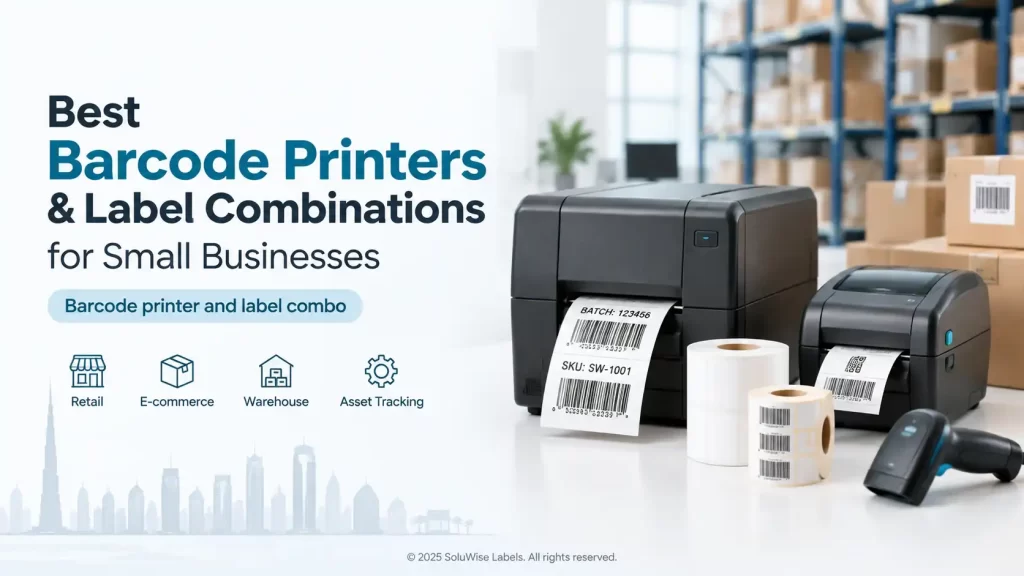
Buying a barcode printer and labels as a package is usually the quickest route for a small business, but only if the printer, label material and ribbon method suit the actual job. A printer that works well for shelf labels at a Dubai retail counter may be a poor fit for carton labels in a humid warehouse or labels exposed to frequent handling.
For many businesses printing a modest volume of standard barcode labels, a Zebra ZD220 paired with suitable SoluWise paper labels is a sensible starting point. It is a compact desktop-printer option for routine indoor labelling, provided the label size, print method and expected daily output are checked before purchase.
The bundle itself is not what makes the choice good. Compatibility does. The right combination prints readable barcodes consistently, avoids wasted rolls and gets staff producing labels without a long setup exercise.
Choosing barcode printer and labels as a working combination
Start with the label, not the printer. That may sound backwards, but labels have to survive the way they are used. Once the label size, adhesive, material and expected life are clear, it becomes much easier to choose a printer and printing method.
A small business barcode printer is usually suitable where labels are produced at a desk, packing bench, retail counter or office. This includes stock labels, carton identification labels, basic asset labels, shelf labels and internal tracking labels. The printer must still be matched to the widest label required and the amount of printing expected during busy periods.
| Business need | Likely label approach | What to check before buying |
|---|---|---|
| Retail shelf or stock labels | Paper labels for normal indoor use | Label width, barcode size, adhesive and regular print volume |
| Carton and dispatch labels | Paper thermal labels where exposure is limited | Scuffing, handling, warehouse heat and label readability after transit |
| Longer-life identification labels | Material selected for the surface and working conditions | Exposure to moisture, abrasion, cleaning chemicals and heat |
| Short-term internal tracking | Direct thermal labels may be suitable | How long the image needs to remain readable and whether labels see heat or sunlight |
Paper labels are often the practical choice for ordinary indoor barcode work because they are economical and easy to use. They are not automatically the right answer for every application. A carton label that rubs against pallet wrap, or a label stored in a hot vehicle, may need a more considered material and print method.
Direct thermal and thermal transfer labels
Most barcode printer labels are produced using either direct thermal or thermal transfer printing. The terms are often confused, and choosing the wrong one can create unnecessary operating costs.
Direct thermal printing
Direct thermal printing creates an image directly on heat-sensitive label stock. It does not use a ribbon. This can be convenient for short-life labels, internal picking labels and some shipping or dispatch work where the label will not be kept for long.
The trade-off is durability. Direct thermal images can fade or darken when exposed to heat, sunlight or friction. In the UAE, this matters for labels likely to spend time near loading areas, in vehicles or in bright storage spaces.
Thermal transfer printing
Thermal transfer printing uses a ribbon to transfer the image to the label. It adds the recurring cost and handling of ribbons, but it is generally the better route when a barcode needs to remain legible for longer or withstand more handling. The label material and ribbon need to be compatible with each other.
For a standard indoor paper barcode label, the selected ribbon and label combination should be discussed with the supplier rather than chosen by guesswork. A poorly matched ribbon can produce light print, smudging or poor barcode definition even when the printer itself is functioning properly.
Where the Zebra ZD220 fits
The Zebra ZD220 is a compact desktop barcode printer option that can suit small businesses producing standard labels in modest volumes. It is a reasonable product to consider for retail stock control, office labelling, basic warehouse identification and packing-station work where a desktop footprint is preferred.
Its appeal is straightforward: a business can begin with a familiar barcode-printer format rather than buying more printer capacity than it needs. Paired with correctly sized SoluWise paper labels, it can be a practical combination for everyday indoor labels.
There are limits worth being clear about. A desktop printer should not be selected solely because it costs less upfront if the team expects continuous high-volume printing, unusually wide labels, or labels that must survive demanding industrial conditions. In that situation, the issue is not that the ZD220 is a poor printer; it is that the application may call for a different class of equipment or label construction.
Before ordering, confirm the intended label dimensions, core size, roll diameter, printing method and connection requirements. A printer can be compatible with a label type in principle while still being unsuitable for the roll format or label width selected.
SoluWise paper labels for routine barcode work
SoluWise paper labels are a practical option for indoor barcode applications where paper is appropriate. They can suit businesses that need labels for stock, shelves, cartons, inventory locations or internal identification, provided the surface is clean and the label is not expected to face repeated moisture, abrasion or severe temperature exposure.
For a starter printer kit, paper labels make sense because they keep the initial choice focused on the everyday job. The important question is not simply “paper or synthetic?” It is how long the label needs to last and what happens to it after it is applied.
- Choose a label size that gives the barcode enough quiet space around it and leaves room for readable text.
- Match the adhesive to the surface, such as carton board, plastic packaging or a smooth shelf bin.
- Consider the label’s journey after printing, including handling, storage and transport.
- Use a print darkness setting that produces sharp bars without spreading them into each other.
A barcode can look acceptable to the eye and still scan inconsistently if it is too small, too light, distorted or printed on an unsuitable surface. Printing a barcode is separate from barcode numbering, GS1-issued identifiers and product registration. If a business uses GS1 numbers, those should be obtained and managed through the appropriate GS1 process; the printer and labels simply reproduce the data supplied.
What a bundled setup can save
A barcode label combo can reduce avoidable setup problems. Buying the printer and labels together gives the supplier a chance to check label dimensions and intended use before equipment arrives on site. That is more useful than receiving a printer first and discovering later that the chosen rolls do not fit or the label is unsuitable for the job.
The savings are usually practical rather than dramatic: fewer incorrect consumables, less interrupted printing and less staff time spent trying random settings. It can also make reordering simpler once the correct label specification has been established.
That said, a bundle should not lock a business into an unsuitable label. If the first application is a short-term carton label but the next is a long-life asset label, treat those as separate requirements. One printer may handle both, but the label material and ribbon choice may change.
Checks to make before placing an order
- Measure the label area, not only the barcode. Include product name, price, batch information, expiry information where applicable, and any human-readable code.
- Estimate print volume honestly. Think about peak days, stocktakes, promotions and inbound deliveries, not only average weekly use.
- Describe the surface and environment. A label on a dry cardboard carton is very different from one placed on a cold item, plastic container or frequently handled stock bin.
- Decide whether direct thermal is acceptable. If labels need to stay readable for months, or may face heat and abrasion, ask about thermal transfer and suitable ribbon options.
- Check how labels will be designed and printed. The business should know who creates the barcode data, who controls label formats and which computer or system sends jobs to the printer.
Common mistakes with barcode printer labels
Choosing the smallest label possible
A very small label may save material, but it can force a barcode to become too dense for reliable scanning. Leave room for the barcode and readable text. This is particularly relevant where staff scan labels from varying angles in a warehouse.
Using one label for every environment
Paper labels are suitable for many everyday jobs, but they are not a universal material. A hospitality laundry, for example, has very different requirements from a retail storeroom. Labels exposed to repeated washing, heat or chemicals need an application-specific discussion.
Ignoring the ribbon
Where thermal transfer printing is used, ribbons are part of the print system. The wrong ribbon can lead to poor adhesion of the printed image, smudging or weak barcodes. Confirm the label and ribbon pairing before committing to regular consumable orders.
Assuming every barcode will scan because it printed
Print quality, barcode dimensions, scanner settings and label placement all affect scanning. Test a representative printed label with the scanners used at the point of work, especially before a large production run.
Questions businesses ask before buying
What is the best small business barcode printer?
The best choice depends on label size, print volume, printing method and operating environment. For modest volumes of standard desktop barcode labels, the Zebra ZD220 may be suitable. It should be assessed against the actual label application rather than chosen by model name alone.
Can a Zebra ZD220 print paper barcode labels?
It can be considered for standard paper-label applications, subject to confirming the selected label format, print method and printer compatibility. SoluWise can help check the label specification before supply.
Do thermal labels need ink?
Direct thermal labels do not use an ink ribbon because the heat-sensitive label surface forms the image. Thermal transfer printing uses a ribbon. Neither method uses conventional ink cartridges in the way an office inkjet printer does.
How long do direct thermal barcode labels last?
That depends on the label stock and its exposure to heat, sunlight, rubbing and storage conditions. Direct thermal is generally better suited to shorter-life applications than labels requiring long-term readability.
Can one printer handle different label sizes?
Often, yes, within the printer’s supported media range. The label width, roll format and printer settings still need to be checked. Changing size may also require adjusting the label design and calibration.
Should a UAE warehouse use paper labels?
Paper labels can work well in dry indoor warehouse areas for routine identification. If labels will face humidity, high temperatures, outdoor handling or heavy rubbing, describe those conditions before choosing the material.
Start with the label job, then choose the printer
A good barcode printer and labels combination is one that produces readable labels at the required pace without buying more equipment than the business needs. For standard, indoor, modest-volume work, a Zebra ZD220 with suitable SoluWise paper labels is a credible starting point. For longer-lasting or tougher applications, specify the working conditions first and select the media accordingly.
Businesses comparing a starter printer kit can also use the SoluWise barcode printer buying guide to clarify label size, print volume and printing method before making a decision. If the application is still unclear, send SoluWise the label dimensions, surface, daily print estimate and a description of where the label will be used, and the team can suggest suitable options.


