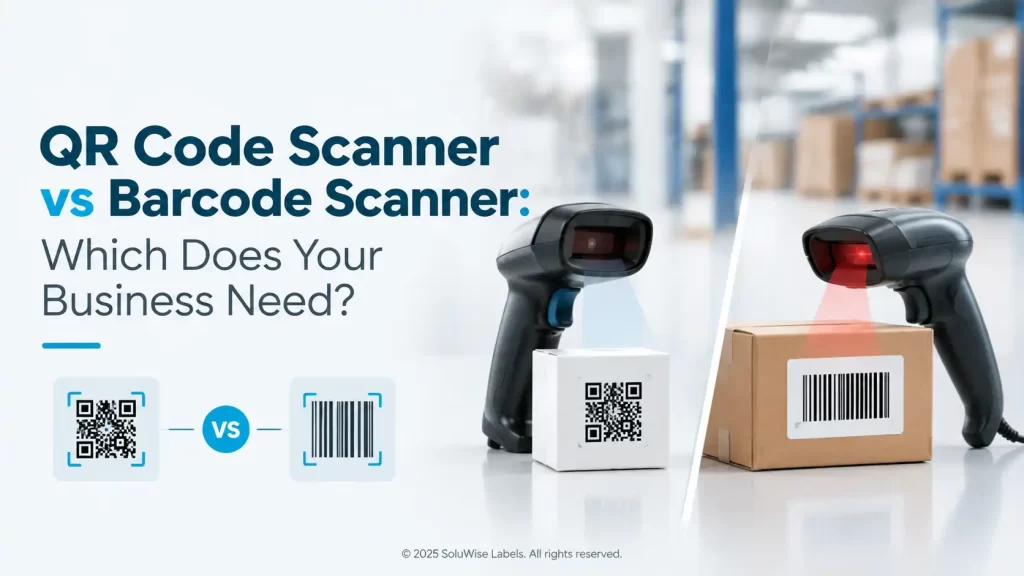
A business choosing between a QR code scanner vs barcode scanner usually needs to answer a simpler question first: what type of codes must staff scan now, and what might they need to scan next year?
For most new business deployments, a dedicated 2D barcode scanner is the sensible choice. It reads ordinary 1D barcodes as well as QR codes and other two-dimensional symbols, which avoids buying equipment that becomes restrictive as customer, supplier or internal processes change.
That does not mean every operation needs the same scanner. A checkout counter scanning clean retail barcodes has different needs from a warehouse team handling carton labels, delivery paperwork and QR codes displayed on a phone. The right choice depends on the codes, the working environment, staff workflow and the system receiving the scan.
QR Code Scanner vs Barcode Scanner: the short answer
A traditional barcode reader may be designed primarily for 1D barcodes: the familiar pattern of vertical lines used on retail products, shelf labels, cartons and many inventory labels. A QR scanner is generally a type of 2D barcode scanner that uses an image sensor to read QR codes and, in many cases, standard 1D barcodes too.
If staff only ever scan printed 1D labels in a controlled setting, a 1D scanner can be adequate. If they need to scan QR codes, Data Matrix symbols, codes on mobile screens, small labels, damaged labels or a mix of supplier formats, select a 2D scanner instead.
| Factor | 1D barcode scanner | 2D barcode scanner / QR scanner |
|---|---|---|
| Typical codes read | Linear barcodes with bars and spaces | QR codes, other 2D symbols and usually standard 1D barcodes |
| Data capacity | Usually holds a short identifier | Can encode more information in a smaller area |
| Scanning from a phone screen | May be limited, depending on the device and screen condition | Often better suited because it captures an image of the code |
| Future flexibility | Suitable for stable 1D-only tasks | Suitable for mixed code formats and changing workflows |
| Typical use | Simple point-of-sale or stock lookup | Warehousing, returns, mobile coupons, asset tracking and mixed inventory work |
What is the difference between a barcode and a QR code?
A barcode is a broad term for machine-readable code formats. The familiar retail barcode is normally a 1D code: data is arranged horizontally as a sequence of bars and spaces. The scanner reads that pattern and sends the resulting number or text to a computer, POS system or mobile device.
A QR code is a two-dimensional barcode. It stores information across both height and width, using a square pattern of small modules. This allows it to hold more data than a conventional 1D symbol and makes it useful for web links, serial numbers, digital forms, authentication steps, visitor registration and product information.
Neither code type is automatically better. A warehouse carton label may only need a short item number, making a 1D code perfectly practical. A maintenance label that needs an asset ID, location reference and a link to service information may benefit from a QR code or another 2D symbol.
Printing a barcode is separate from assigning the data inside it. A label printer produces the physical label; it does not issue GS1 identifiers, register a product or certify the numbering. Businesses using GS1 identification should obtain and manage those identifiers through the appropriate GS1 process.
Where 1D barcode scanners still make sense
A 1D scanner remains a reasonable purchase where the task is fixed and predictable. For example, a small retail counter that scans only clean EAN or UPC product labels may not gain much from extra 2D capability if its POS workflow will never use QR codes.
They can also suit simple stock-taking tasks where every item already has a large, readable linear barcode. The important condition is that the operation has confirmed its code format with suppliers, software provider and internal teams. Buying solely on the labels visible today can create a problem if a new ERP, delivery app or customer loyalty scheme introduces QR codes later.
Limits to check before choosing 1D-only equipment
- It may not read QR codes used for returns, e-invoices, digital tickets or mobile promotions.
- It may not support other 2D symbols used by manufacturers for serialisation or compact part marking.
- It can be a poor fit for workflows where staff must scan codes displayed on customer or driver phones.
- It may force a second device purchase if the business later adopts 2D codes.
Why many UAE businesses choose a 2D barcode scanner
For a new installation, 2D scanners are usually the more adaptable recommendation. They can handle ordinary product barcodes while giving operations teams the option to scan QR codes on documents, smartphone displays, location labels and assets.
This matters in practical settings. A Dubai retailer may need to scan a supplier barcode on stock, then scan a QR code for a digital promotion. A logistics team may scan carton labels at dispatch, a code on a driver device and a QR code linking to delivery records. A hotel or laundry operation may use coded textile or asset labels alongside conventional consumable labels.
2D capability does not remove the need for suitable labels. Low-contrast printing, glare from glossy material, wrinkled labels, poor placement and damage from handling can all affect scanning. In hot or humid warehouse areas, label material and adhesive should suit the surface and exposure conditions, particularly for cartons, plastic containers or equipment that may be moved between indoor and outdoor areas.
Recommended product type: dedicated 2D scanners
For the applications above, SoluWise should be asked about dedicated 2D scanners. These are barcode readers designed to capture both linear and two-dimensional codes, making them a practical fit for businesses that need QR scanning without giving up existing 1D barcode processes.
A dedicated 2D scanner suits retail counters, receiving desks, warehouse picking stations, asset issue points and service counters where scanning is a repeated operational task. It is generally preferable to relying on a personal phone where staff need a consistent workflow, a scanner that remains at the workstation or a device selected for regular commercial use.
The limitation is straightforward: 2D capability alone does not define the right scanner. A buyer still needs to consider handheld versus fixed presentation use, wired versus wireless operation, expected scan distance, the condition and size of labels, compatible software and how the device will be charged or connected. These details should be checked against the actual product documentation before ordering.
Phone camera or dedicated scanner?
A smartphone camera can read many QR codes and can be useful for occasional tasks, visitor check-in or a quick proof of concept. It is familiar to staff and avoids a separate device for a low-volume activity.
For daily operational scanning, phones have trade-offs. Staff may need to open the correct app, hold the phone steadily, manage battery life and share a device between shifts. Camera performance can also vary with screen brightness, glare, distance and the app being used.
A dedicated barcode reader is normally a better choice where scanning is frequent, speed affects queue time or stock accuracy matters. At a busy checkout, goods-in desk or packing station, a scanner can give staff a more repeatable process and keep personal phones out of the workflow.
| Use case | Phone camera | Dedicated 2D scanner |
|---|---|---|
| Occasional QR code check | Often suitable | Useful but may be more than required |
| Busy retail counter | Usually inconvenient for repeated scanning | Usually the more practical option |
| Warehouse receiving and picking | Can work for small volumes | Better suited to regular operational use |
| Scanning customer phone screens | Possible, but workflow depends on the app | Often more consistent for staff-led scanning |
| Asset checks or maintenance rounds | Useful where mobility is the priority | Useful where scans are frequent or shared equipment is preferred |
How to choose the right scanner for the job
Start with actual samples, not assumptions. Collect the product labels, supplier cartons, QR codes, mobile screens and paperwork that staff will scan. Include damaged or poorly placed examples if those occur in normal work.
- List every code format. Identify 1D barcodes, QR codes and any other 2D symbols in use.
- Map the workflow. Decide whether scanning happens at a fixed counter, during picking, at goods receiving or while moving around a site.
- Check label condition. Consider print quality, label size, curved surfaces, reflective packaging and wear from handling.
- Confirm software input. Find out how the POS, warehouse management system or inventory software receives scanner data.
- Choose a practical form factor. A fixed workstation may suit a wired reader, while mobile stock work may call for a different arrangement.
- Plan for change. If QR codes, digital receipts or supplier 2D labels may be introduced, avoid restricting the operation to 1D-only reading.
Brands used for business barcode scanning
Zebra, Honeywell and Datalogic are established names commonly considered for business barcode scanning. Each offers equipment across different usage patterns, so the selection should focus on the required code types, working conditions, connectivity and software compatibility rather than choosing by brand name alone.
For a simple counter application, the priority may be comfortable repeated scanning and reliable reading of the labels in use. For distribution or production work, teams may place greater weight on the way the scanner will be handled, where it will be used and the quality of the codes presented. Comparing the relevant product documentation against real label samples is more useful than relying on a generic brand comparison.
Common mistakes that cause scanning problems
The scanner is not always the cause of a failed scan. A code may be printed too small, damaged by abrasion, hidden under tape, placed around a sharp curve or produced with insufficient contrast. Testing labels at the distance and angle staff will actually use is a sensible check before a full roll is printed.
Another common mistake is treating QR codes as a replacement for every barcode. QR codes can carry more data, but a simple 1D code may scan faster and remain easier to manage for basic item identification. The code should suit the data and process, not follow a trend.
Finally, avoid buying a scanner before confirming how it will feed data into the business system. A barcode reader can send data in different ways depending on the device and setup. The IT or software team should confirm the expected input method and test it with the intended application.
Frequently asked questions
Can a QR scanner read normal barcodes?
Many 2D scanners are designed to read both QR codes and standard 1D barcodes. Confirm the supported symbologies in the documentation for the specific device before purchase.
Can a normal barcode scanner read a QR code?
Not necessarily. A scanner intended only for 1D barcodes generally cannot read QR codes. A 2D barcode scanner is the safer choice if QR codes are part of the workflow.
Is a phone good enough for warehouse scanning?
It may be adequate for occasional checks or low-volume work. For repeated receiving, picking or dispatch scanning, a dedicated scanner is usually more practical because it creates a more consistent staff process.
Do QR codes work on product labels?
Yes, provided the QR code is printed clearly at an appropriate size and the scanner can read it in the real operating environment. Label material, print quality, contrast and placement all matter.
Should a business replace all its 1D barcodes with QR codes?
Usually not. Keep 1D barcodes where they suit a simple identification process, and use QR or other 2D codes where additional data or a link-based workflow has a clear purpose.
A practical decision rule
Choose a 1D scanner only if the operation is confidently limited to clean, conventional linear barcodes. Choose a dedicated 2D scanner if staff need QR codes, mobile-screen scanning, mixed supplier labels or room to adapt their process later.
Before selecting equipment, gather sample labels and describe where, how often and from what surfaces staff will scan. SoluWise can help assess the application, label material, printer compatibility and expected scan volume so the recommended scanner fits the work rather than just the specification sheet.