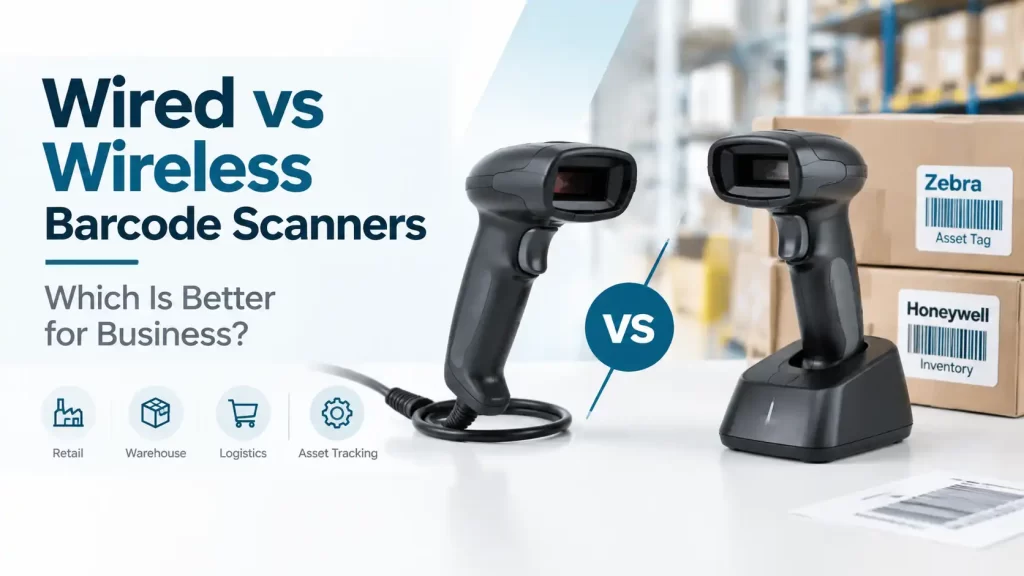
Choosing between wired vs wireless barcode scanners usually comes down to where scanning happens, not which option sounds more advanced. A fixed retail till, packing bench or reception desk often benefits from a simple cable-connected scanner. A warehouse picker moving between pallets, racks and loading bays may gain far more from a cordless device.
For most businesses, wired scanners are the sensible choice for permanent workstations, while wireless scanners suit mobile work that would otherwise involve repeated walking or handling delays. The right decision depends on scan volume, distance from the host device, charging discipline and the working environment.
Zebra and Honeywell both offer wired and wireless scanner options, so the selection should begin with the application: the barcode type, the distance involved and how staff actually work during a shift.
Wired vs wireless barcode scanners: the practical verdict
A USB barcode scanner is generally the lower-complexity option for a fixed point of work. It connects directly to a computer, POS terminal or compatible host and does not require staff to monitor battery charge. This makes it a good fit for checkout counters, office receiving desks, dispatch stations and production workbenches.
A Bluetooth barcode scanner or other wireless scanner is more appropriate where the operator needs to move freely. Examples include scanning cartons on warehouse shelves, checking inventory across a stockroom, receiving deliveries away from a desk or verifying assets around a hotel or facility.
| Selection factor | Wired scanner | Wireless scanner |
|---|---|---|
| Operator mobility | Limited by cable length and workstation position | Allows scanning away from the host device within its operating range |
| Power | Powered through its connection in typical desktop setups | Requires charging and battery management |
| Daily setup | Usually straightforward at a fixed station | May require pairing, charging and management of accessories |
| Best-fit locations | Retail tills, desks, packing benches and fixed production points | Warehouses, stockrooms, receiving areas and mobile asset checks |
| Cost considerations | Often has fewer components to purchase and manage | May involve a charging cradle, battery and wireless connectivity hardware |
| Potential disruption | Cable wear, snags and limited movement | Battery depletion, connection range and possible radio interference |
Where a wired scanner makes more sense
Wired scanners work well where an employee repeatedly scans items from one position. At a retail counter, for example, the scanner stays beside the POS system and products come to the operator. There is little benefit in paying for mobility that the process does not use.
They are also practical for a packing station. An operator can scan a picking slip, carton label or item barcode before dispatch without searching for a charged device. The cable should be routed and protected so it does not snag on cartons, trolleys or drawers.
Benefits of a USB barcode scanner
- No battery-charging routine for the operator.
- A predictable location, which helps at busy shared workstations.
- Less risk of a scanner being carried away from its assigned desk.
- A straightforward fit for many PC-based data-entry and POS workflows.
The limitation is clear: staff must bring the barcode to the scanner or remain close to the host. That can slow receiving and inventory work if cartons are large, stored high on racks or spread across an area.
When a wireless scanner is worth the extra management
Wireless scanners are designed for work that happens away from the screen. In a warehouse, an operator may need to scan pallet labels while moving along aisles, confirm carton codes at receiving, or check stock without wheeling a laptop to every location. The mobility can reduce unnecessary trips back to a fixed station.
A Bluetooth barcode scanner can also be useful for staff using a compatible mobile device or tablet, subject to the device and software setup. Before purchasing, the business should confirm how scans are received by its application and whether the intended working distance suits the selected connection method.
Battery and charging need a process
Wireless scanning only works well if charging becomes part of the shift routine. A scanner left uncharged after an evening stock count can create delays at the next morning’s receiving desk. Assign a home location for the scanner and charging equipment, and decide who checks charge status at handover.
For multi-shift operations, purchasing teams should discuss expected use patterns with the supplier rather than assuming every wireless device will suit the same duty cycle. Battery condition changes over time, and charging access matters just as much as stated operating convenience.
Range and interference require a site check
Wireless range is affected by walls, metal racking, storage layouts and other radio activity. A scanner that works near a receiving computer may not behave the same way behind dense pallet storage or through several partitions. Test the intended route and position before standardising a workflow.
Interference is not always the source of a lost connection. Pairing settings, host-device power management and a depleted battery can cause similar symptoms. Start by checking charge, distance, line of sight where relevant and the connection to the host before replacing equipment.
Zebra and Honeywell scanner recommendations by application
For fixed scanning positions, a wired Zebra or Honeywell scanner is a sensible recommendation where the business needs dependable point-of-work scanning without battery administration. It suits retail counters, front desks, production stations and dispatch desks where the scanner remains close to the computer or POS terminal. It is less suitable for warehouse staff who must scan stock several metres away from the workstation.
For mobile tasks, a wireless Zebra or Honeywell scanner is better suited to warehouse receiving, stock counts, pallet checks and asset identification. The business should select it only after considering charging arrangements, host compatibility and the real distance between scanner and system. Wireless operation is helpful, but it does not remove the need for clear barcode labels and a disciplined scanning process.
Barcode quality still matters. A scanner cannot reliably compensate for labels that are badly damaged, poorly placed, wrinkled or obscured by stretch wrap. For operations that print item, carton or shelf labels in-house, the choice of printer and label format should support the scanning workflow from the start.
Cost: look beyond the purchase price
A wired scanner may cost less to put into service because the setup is simpler and there is no battery charging routine to manage. That does not automatically make it less expensive over the life of the process. If staff walk repeatedly between a computer and stock locations, the time lost can outweigh the initial saving.
Conversely, a wireless scanner is not automatically the economical answer for a busy fixed checkout. Its mobility may go unused while the business still manages charging, storage and occasional connection checks. Match the investment to the movement that staff genuinely need.
Questions to ask before selecting a scanner
- Where will staff scan? Map the counter, desk, aisle, rack or receiving bay rather than relying on a general description.
- What will they scan? Review barcode size, print quality, label placement and the condition of cartons or assets.
- How far is the host system? A fixed PC, POS terminal, tablet or mobile device changes the connectivity discussion.
- Who will charge and store the device? This is particularly relevant for shared wireless scanners and shift work.
- What happens in a busy period? Consider peak receiving, stocktaking or checkout demand, not only normal daily volume.
Common setup mistakes to avoid
One common mistake is buying a wireless scanner for a fixed counter simply because it appears more flexible. Another is choosing a wired unit for a warehouse aisle and then expecting staff to work around its cable limitations. The workflow should lead the decision.
Businesses also sometimes focus on the scanner while overlooking labels. A barcode printed too small, applied across a carton edge or exposed to abrasion can create scan failures that appear to be hardware faults. Check a sample label in its actual environment before committing to a large print run.
In UAE warehouses, heat, dust and frequent handling may affect labels, packaging and equipment placement. Keep charging points indoors and protected where practical, and review label material and adhesive against the product surface and storage conditions.
FAQ
Is a wired barcode scanner more reliable than a wireless scanner?
For a fixed workstation, wired scanning removes battery and wireless-connection variables. A wireless scanner can still be suitable and dependable when it is correctly charged, paired and used within the intended operating area.
Can a USB barcode scanner be used for warehouse work?
It can be used at a fixed warehouse desk, such as receiving or dispatch. It is usually less convenient for aisle-based picking, pallet checks or stock counts that require the operator to move away from the computer.
Do wireless barcode scanners need Wi-Fi?
Not necessarily. Wireless scanners can use different connection approaches, including Bluetooth or a dedicated wireless connection. The appropriate method depends on the scanner, host device and software environment.
How should a business manage wireless scanner batteries?
Set a clear charging location and shift handover routine. For shared equipment, assign responsibility for returning scanners to charge and check battery status before high-volume work begins.
Should retail businesses choose wired or wireless scanners?
Most fixed retail counters are well suited to wired scanners because products are brought to the till. Wireless scanning may be useful for staff who check stock away from the counter or scan bulky items that cannot easily be moved.
The practical choice is simple: select wired scanning for stable, desk-based work and wireless scanning where mobility removes a real operational delay. Before ordering, document the barcodes to be scanned, host device, work area, daily scan pattern and any environmental conditions that could affect labels or connectivity.